

This guide explains step by step how to store issued digital badges, check unreceived badges, and share to SNS all in one place using the Kolleges badge wallet.
A guide to the badge wallet feature. Safely store the digital badges you’ve been issued on Kolleges.

Managing Your Digital Badge Wallet
Entering Your Digital Badge Wallet
There are two ways to access your digital badge wallet.
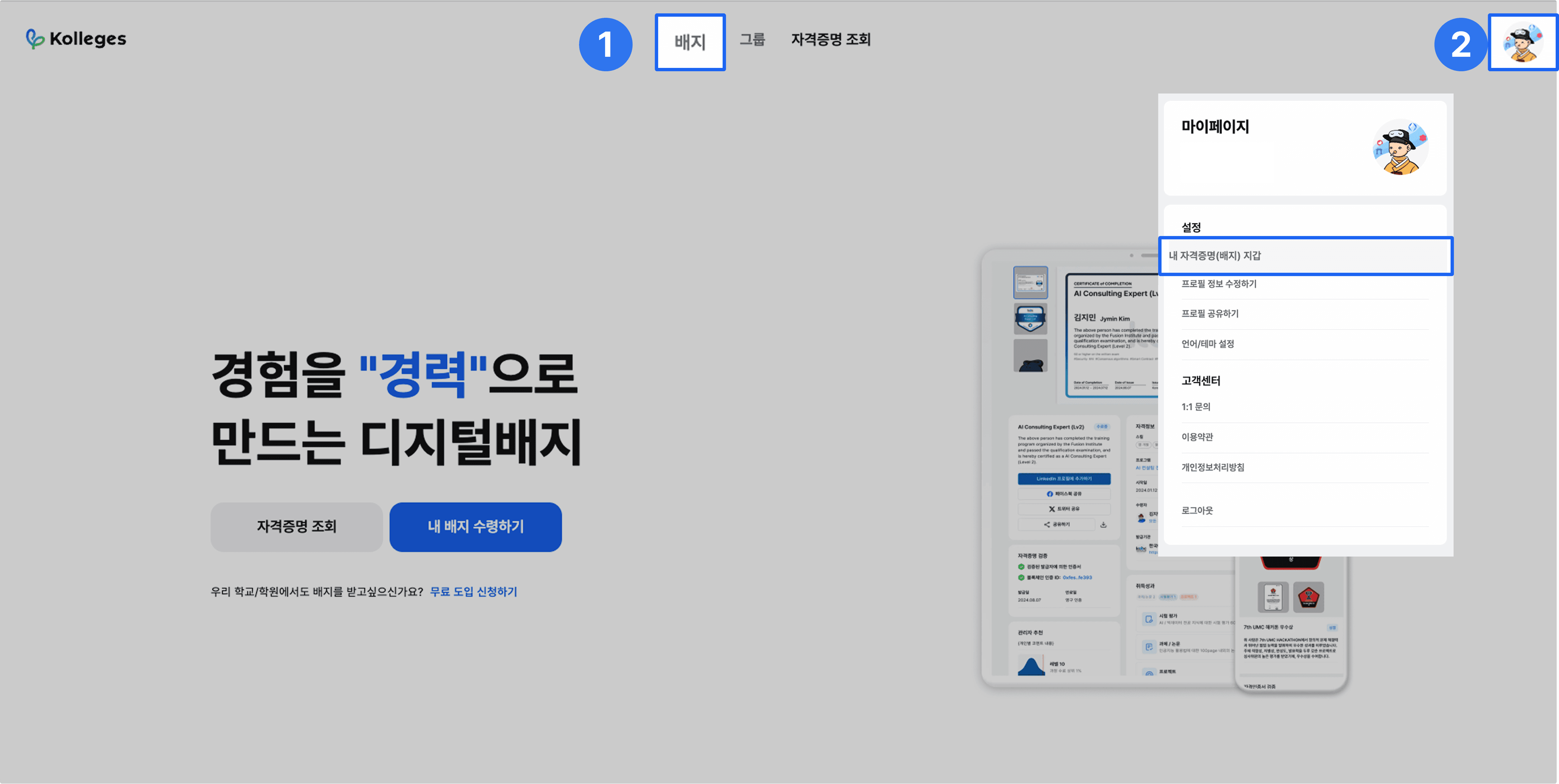
- Click the badge in the top menu.
- Select My Profile and click ‘My Credential (Badge) Wallet’.
Managing Your Digital Badge Wallet
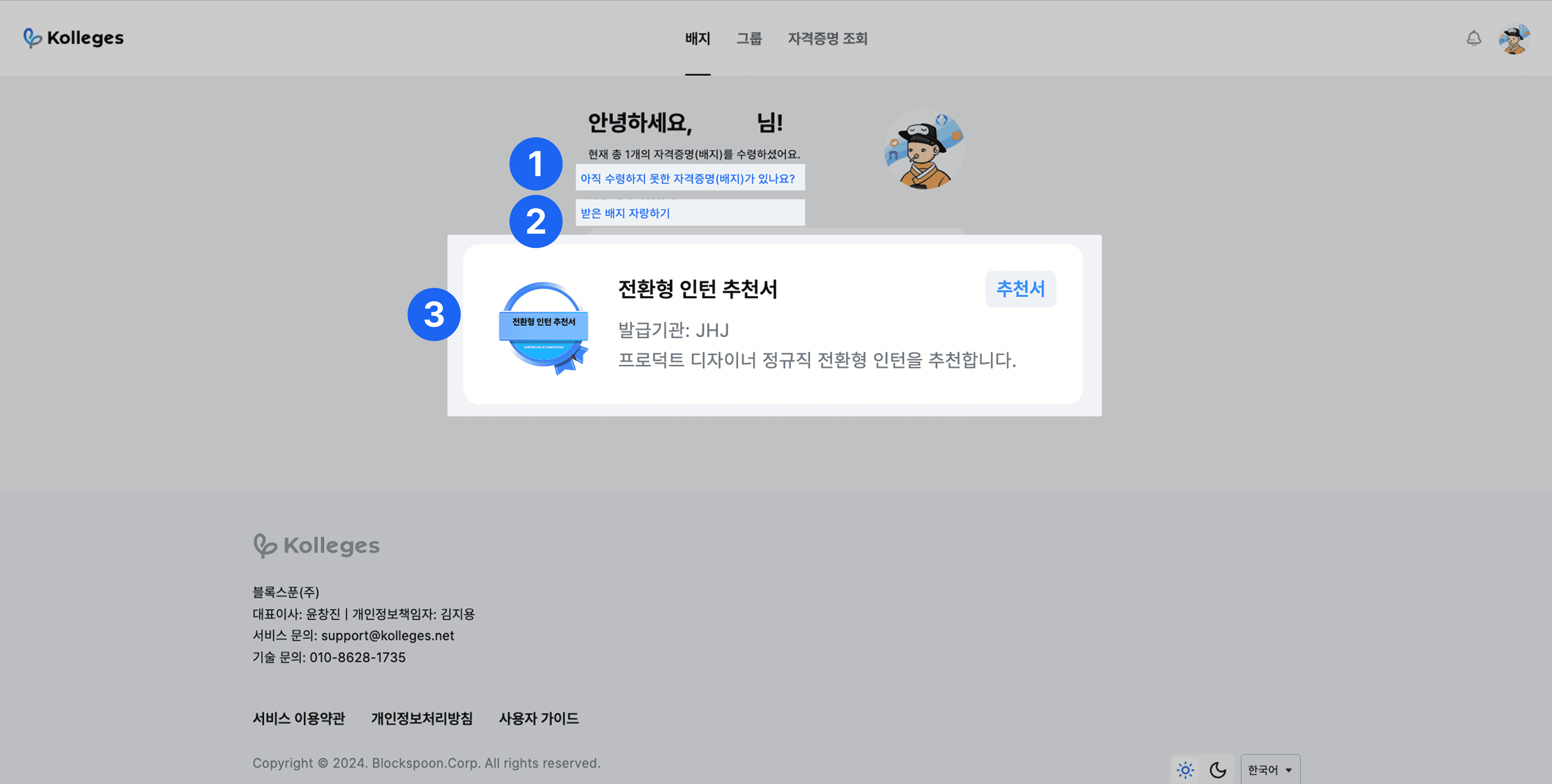
Do you have a credential (badge) you haven’t received yet?: When receiving via phone number, identity verification is required to receive the certificate and have it permanently verified.
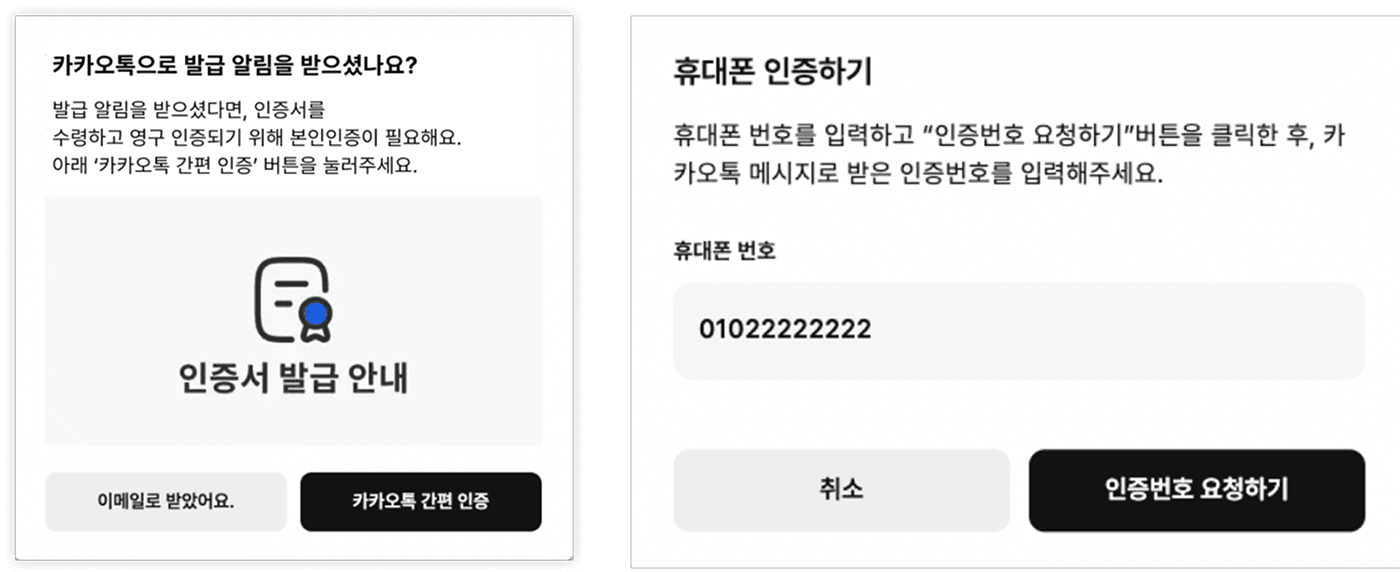
Proceed with KakaoTalk simple verification.
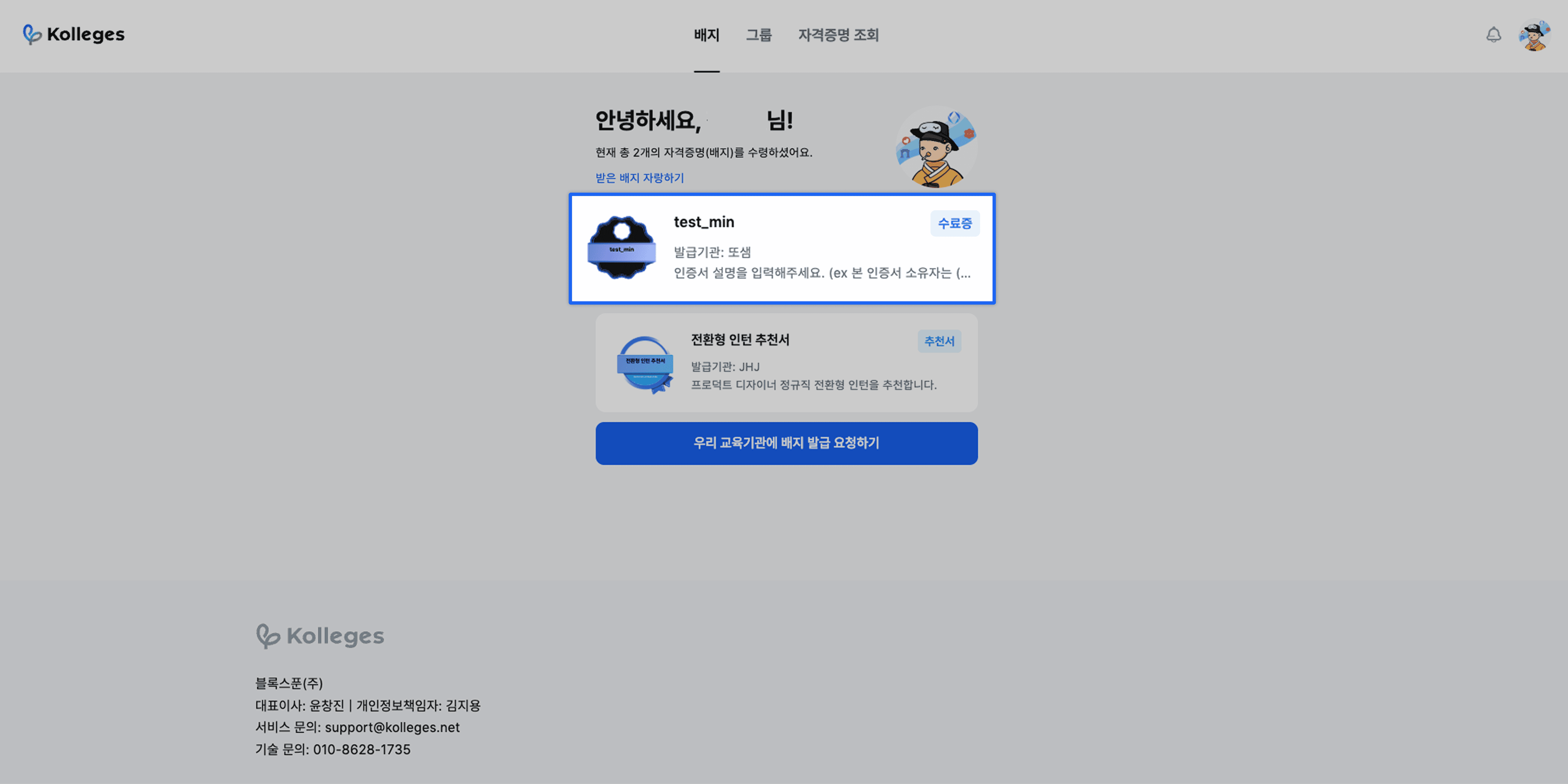
Once you complete the simple verification, you can confirm that the certificate received via KakaoTalk notification message has been deposited.
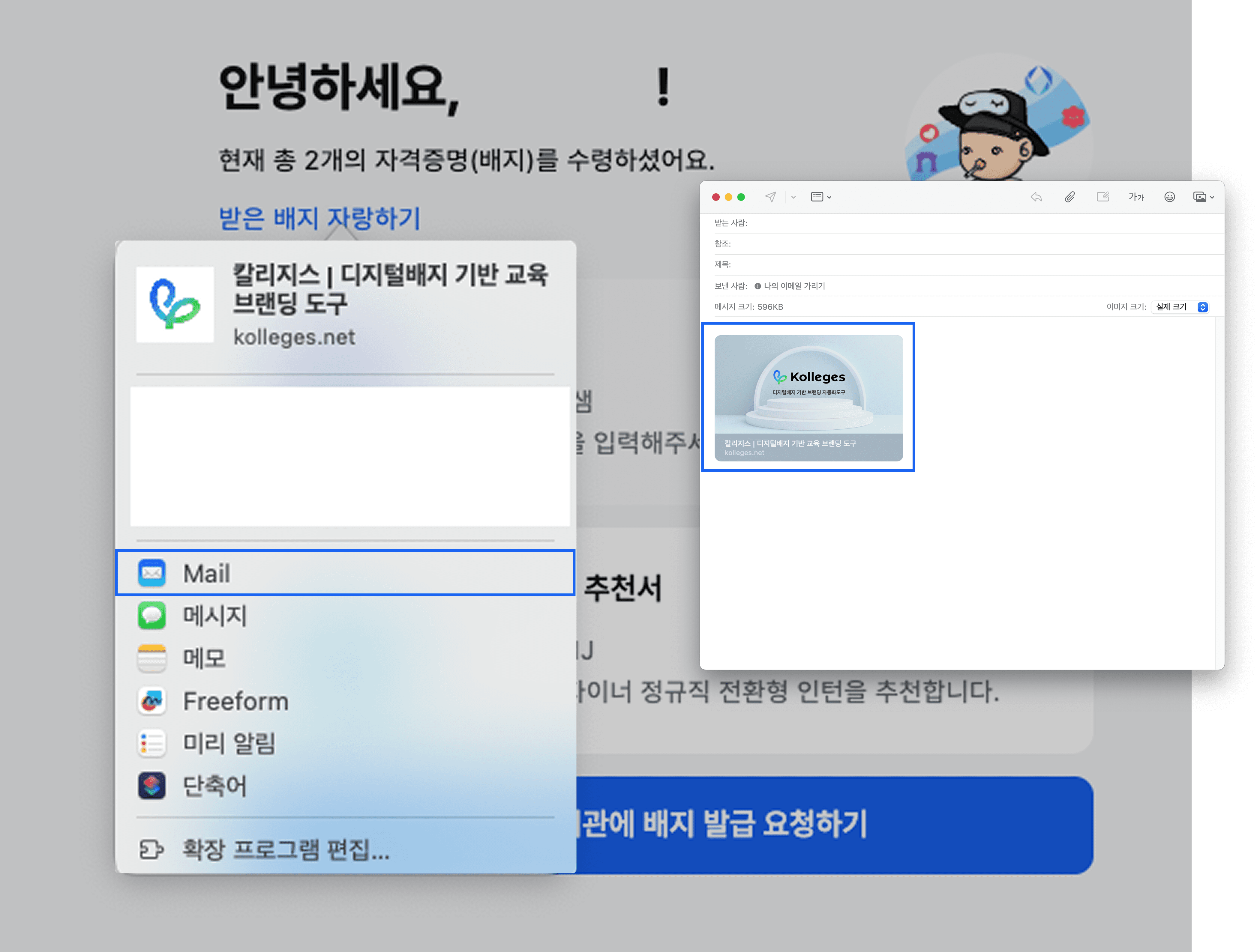
When you click Show Off My Badges, a share link is automatically entered into your chosen method, such as email, message, or memo.
Clicking a certificate takes you to the detail page for that certificate.
Frequently asked questions
Want to turn learning outcomes into verifiable assets?
From issuing to verifying and amplifying, see it for yourself with Kolleges.
Request a Kolleges demo
Related posts

Receiving Your Digital Badge
After clicking the [Receive] button in the email or the [View Certificate] button in the KakaoTalk notification and completing identity verification with KakaoTalk simple authentication, your digital badge is permanently stored in your wallet.

Tips for Using Digital Badges
A step-by-step guide to automatically linking your Kolleges digital badge to the LinkedIn Licenses section and attaching portfolio supporting materials to concretely prove your competencies on social media and your resume.

Verifying the Authenticity of a Digital Badge
On a digital badge's detail page, instantly check its validity with a single click of the Verify credential button, and look up the original data using the blockchain ID to verify whether there has been any tampering or forgery.