
Building a Digital Badge Management Platform: A 5-Step Guide

A concise 5-step checklist - from defining criteria to operating analytics - that lets any institution launch a branded digital badge platform in roughly a day.
Digital Badges: Why They Matter and How to Build Them
Digital badges are a new way to prove accomplishments online. Unlike PDF certificates, they can be verified instantly and shared easily. With a digital badge management platform, you can handle everything from issuance to ongoing management in one place, making operations much simpler.
Why You Need Digital Badges
Instant Verification: Link/QR-based authenticity checks, no forgery concerns
Anyone can check the authenticity of a badge in seconds via link or QR code. Recruiters can verify an applicant’s qualifications in real time, with no worry about forgery or tampering - a must-have in online hiring.
Easy Sharing: One link surfaces on resumes, social media, and portals
A single link can simultaneously surface on LinkedIn, resumes, websites, and social media. It creates a personal branding effect for individuals and a natural marketing effect for issuing institutions. Badges are also easily discoverable through search engines.
Operational Efficiency: Bulk issuance, automated alerts, and easy expiration/revocation
You can issue badges to hundreds or thousands of recipients at once. Automated alerts handle everything from delivery notifications to expiration warnings, and badges can be revoked or updated in real time as needed. Bulk uploads via CSV can save more than 90% of the time and labor compared to issuing badges individually.
Data Visibility: Track delivery rate, share rate, and verification views
Delivery rate measures course completion, share rate measures participant satisfaction, and verification views measure actual usage. This data informs program improvements and budget allocation, driving continuous quality gains.
Recruitment Interoperability: Standard metadata for compatibility with employers and external platforms
International standard metadata enables automatic integration with leading recruitment platforms, HR systems, and LMSs. Individuals get continuity in career management; companies get speed in talent verification.
For more details on platform-specific differences, see the Digital Badge Platform Comparison Guide.
Student-Centered Outcome Certification: Granular competencies and achievements
Digital badges can certify the detailed competencies of individual students that traditional diplomas and transcripts struggle to express. You can specifically credential strengths like project leadership, proficiency in a particular programming language, or teamwork skills. This becomes a differentiator at hiring time and helps students systematically build their own portfolios.
Why Build Your Own Digital Badge Platform
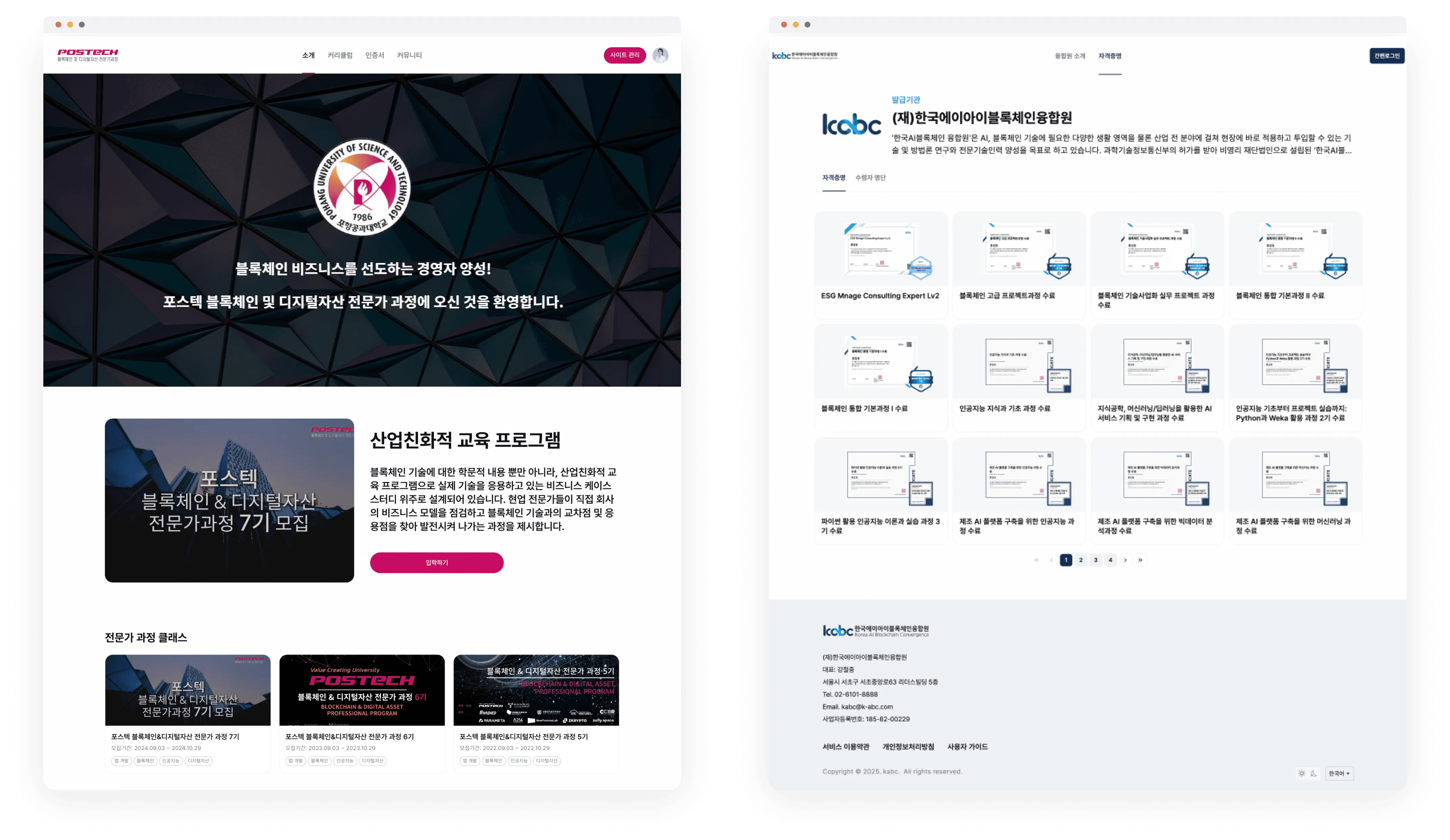
Brand Consistency and Customization
Using an external platform can result in designs that look similar to other organizations. Building your own platform lets you fully reflect your institution’s unique brand identity. From logo, color, and layout, you can configure everything exactly as you want.
Data Ownership and Analytics Freedom
You own and manage all data - badge issuance records, recipient information, usage statistics, and more. External platforms only allow limited analysis, but your own platform lets you analyze and apply data however you want.
Long-Term Cost Savings
There’s an upfront build cost, but over time you save on monthly fees and per-badge fees. The cost savings are especially large for institutions that issue badges in large volumes.
Freedom to Extend Functionality
You can add new features or improve existing ones as your needs evolve. External platforms limit you to their feature set, but your own platform can be tailored to fit your courses and organization.
Build a Digital Badge Management Platform in 5 Steps
5-Step Checklist
| Step | Checklist |
|---|---|
| Step 1: Set Goals & Criteria | List badge issuance targets (by course/program/activity); document issuance criteria, expiration, and re-issuance rules on a single page; confirm brand guidelines (logo, color, design reference) |
| Step 2: Set up Kolleges Open Badge | Complete certificate/badge design (takes 3 minutes); save badge template (name, description, criteria, skills, etc.); save issuing institution info (logo, name, official seal); create class and set up automated badge issuance (optional) |
| Step 3: Test Badge Issuance | Prepare CSV sample for bulk issuance; verify issuance and notification (KakaoTalk or email); verify verification link, QR code, and anonymization; run one test of badge revocation and expiration features |
| Step 4: Design the Homepage | Finalize and design the platform's menu structure; add bulletin board, class, and community menus (optional); verify digital badge landing page and verification page; customize domain address (optional) |
| Step 5: Operate the Platform | Update FAQ and announcements; establish weekly review cadence for delivery rate, share rate, and verification views; run one test of automated digital badge issuance |
Step 1: Set Goals & Criteria
Clearly define which badges will be issued and when.
-
List badge issuance targets (by course/program/activity)
-
Document issuance criteria, expiration, and re-issuance conditions on a single page
-
Confirm brand guidelines (logo, color, design)
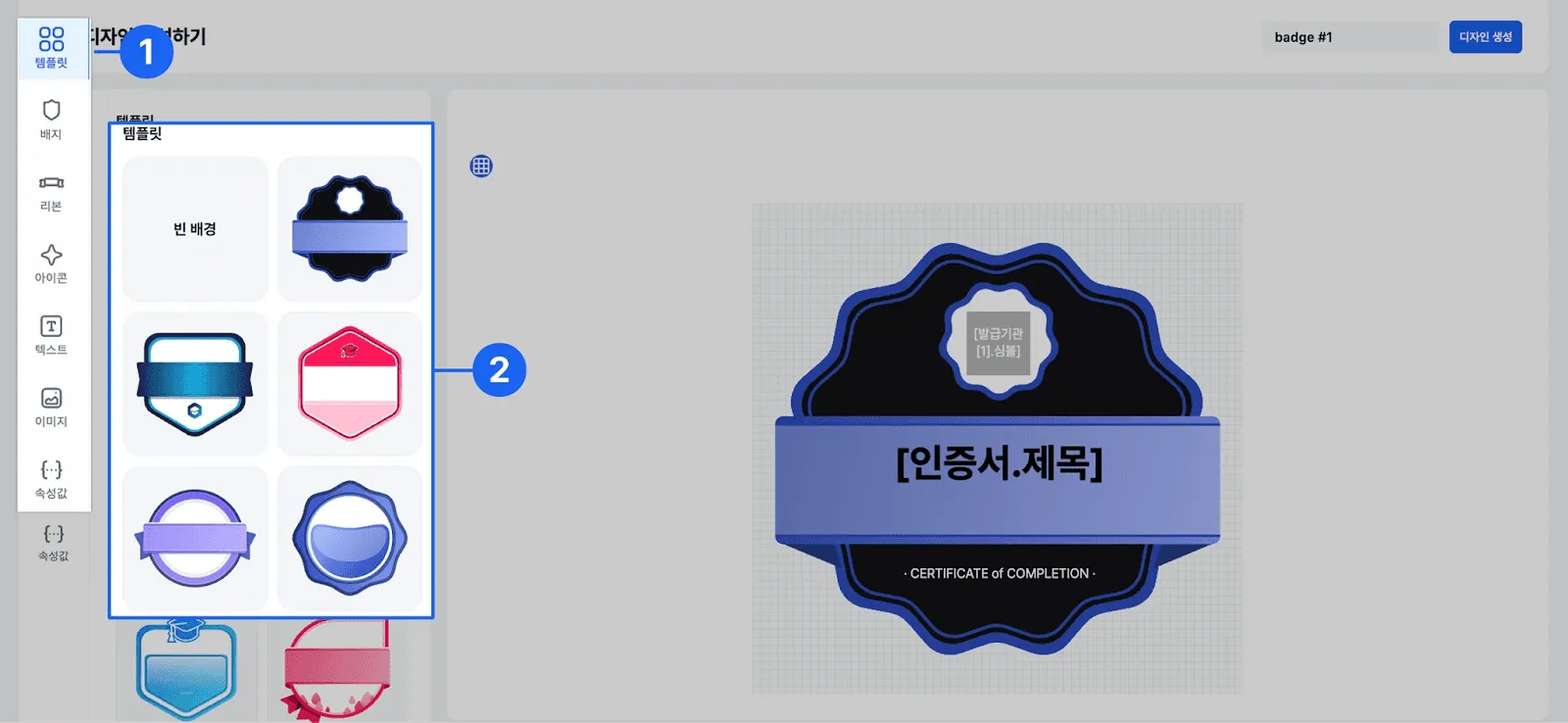
Step 2: Create Classes & Save Templates
Use the Kolleges class creation feature to build the actual courses.
-
Create courses and cohorts
-
Save badge name, description, issuance criteria, and evidence items as a template
-
Prepare CSV sample for bulk issuance
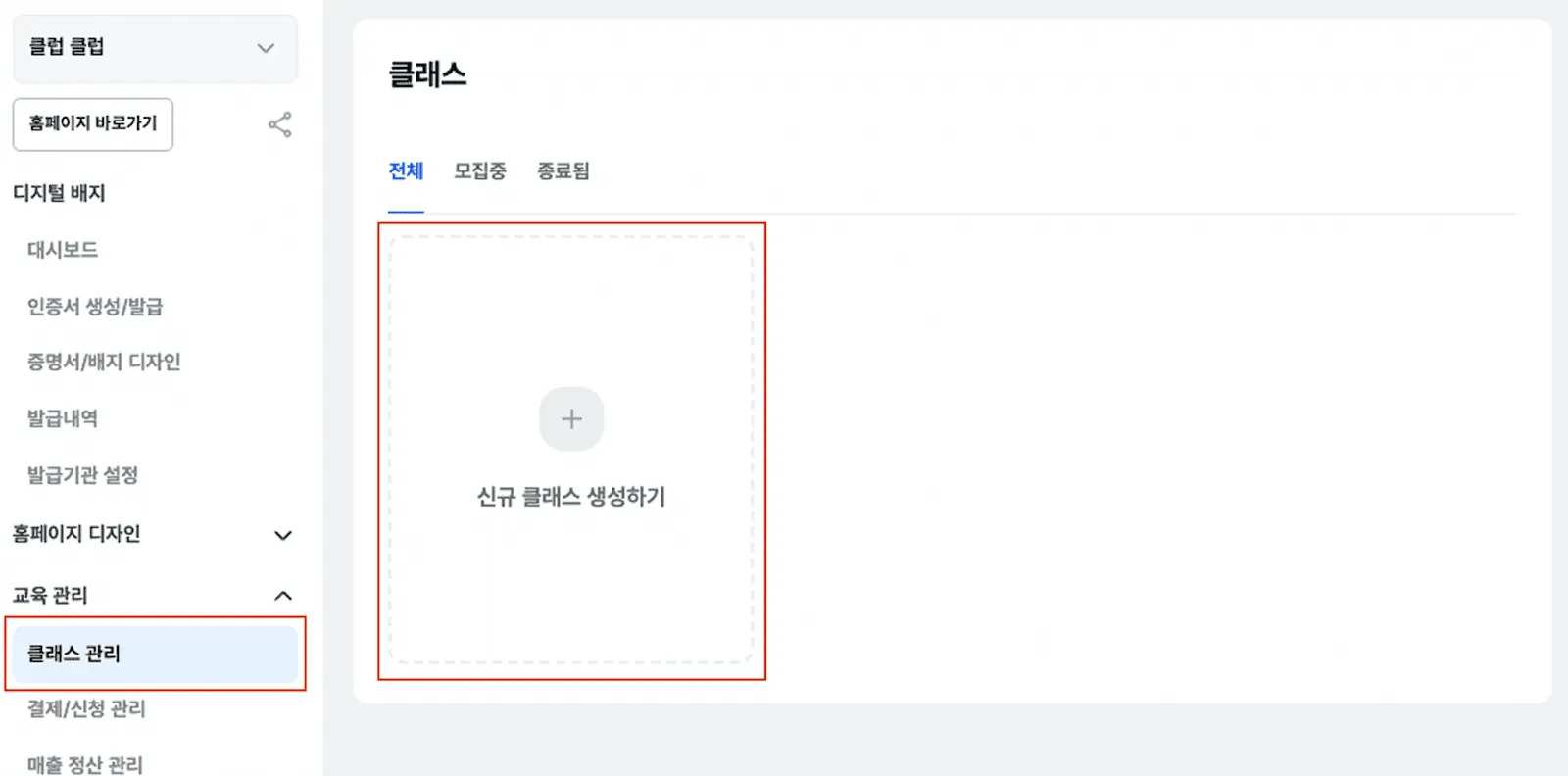
Step 3: Test Badge Issuance
Verify that the actual badge issuance process works correctly.
-
Prepare CSV sample for bulk issuance
-
Verify issuance and notification (KakaoTalk or email)
-
Verify verification link, QR code, and anonymization
-
Run one test of badge revocation and expiration features
Step 4: Design the Homepage
Finalize the platform interface that users will interact with.
-
Finalize and design the platform’s menu structure
-
Add bulletin board, class, and community menus (optional)
-
Verify digital badge landing page and verification page
-
Customize domain address (optional)
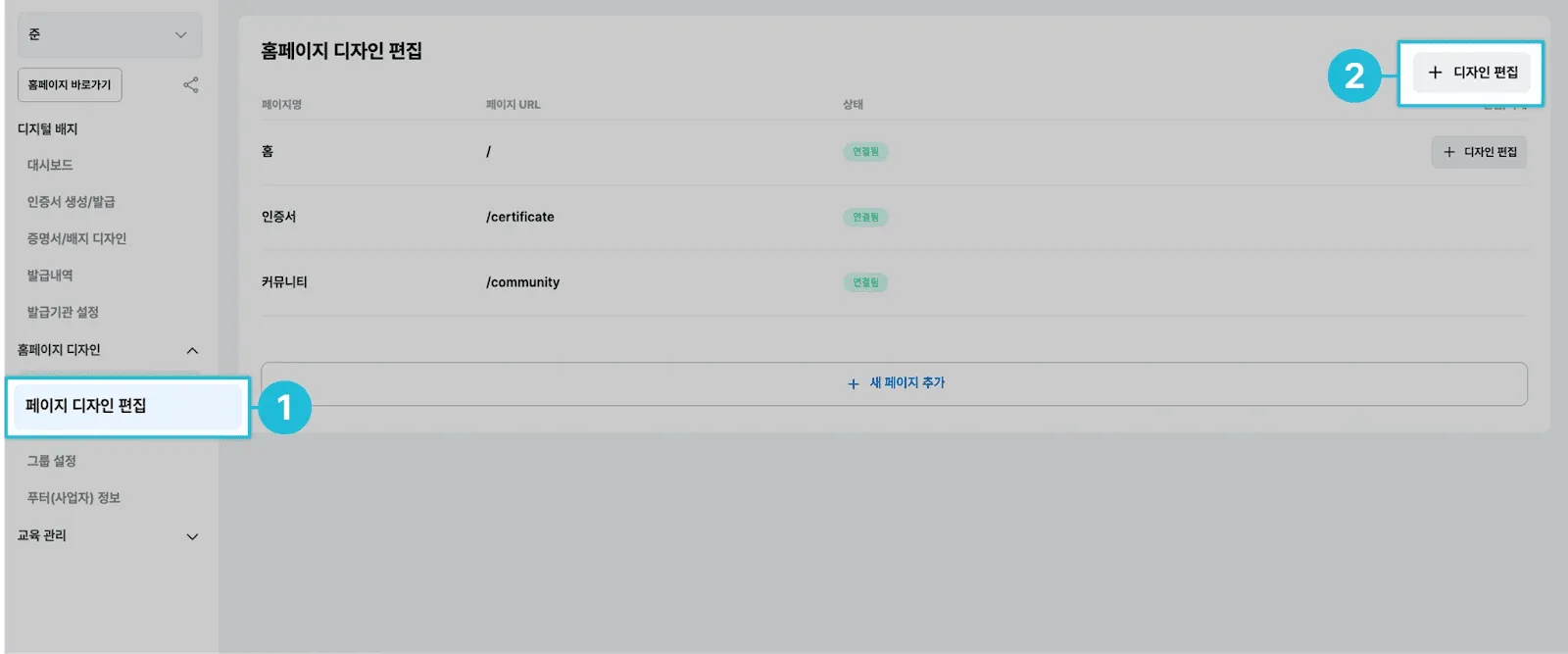
For homepage configuration, see the Homepage Design Guide.
Step 5: Operate the Platform
Set up ongoing platform management and performance monitoring.
-
Update FAQ and announcements
-
Establish a weekly review cadence for delivery rate, share rate, and verification views
-
Run one test of automated digital badge issuance
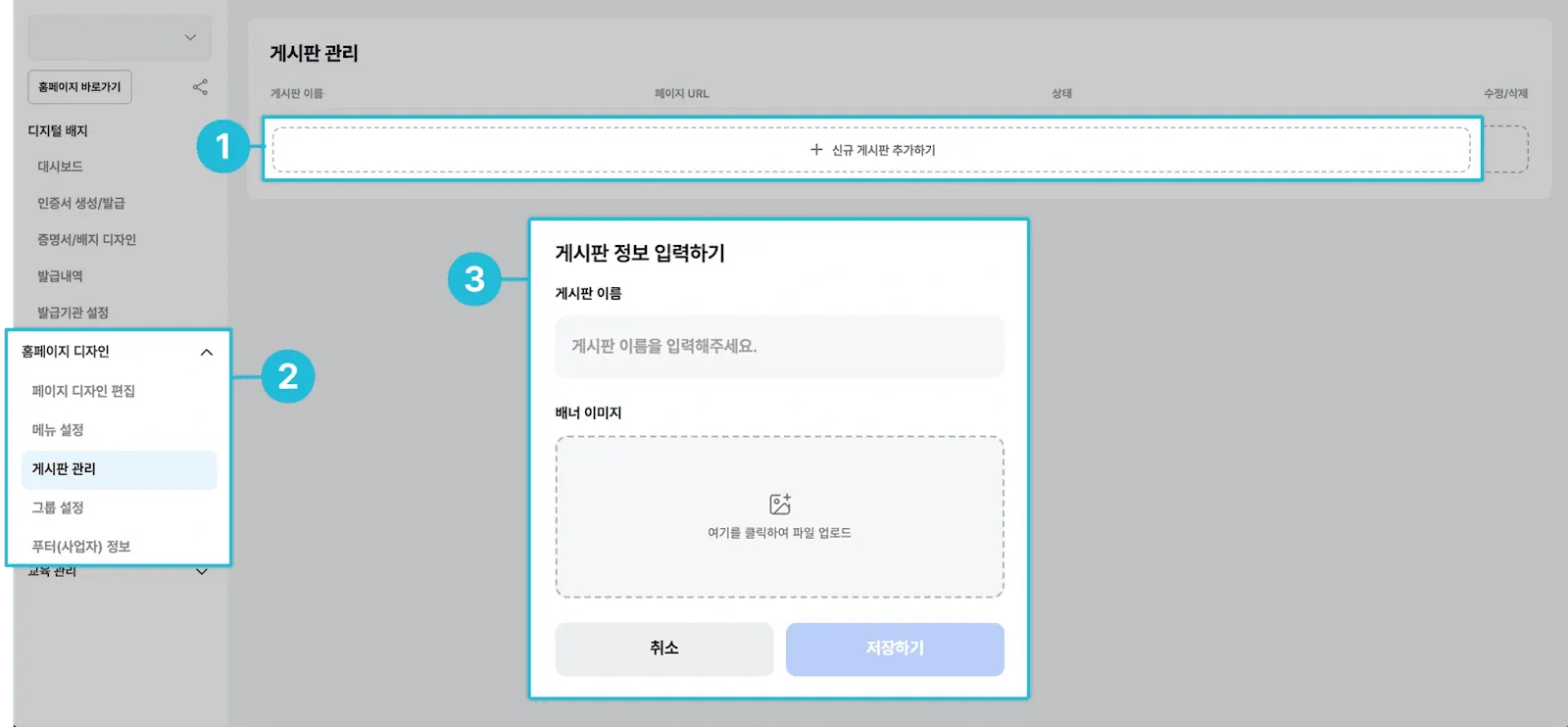
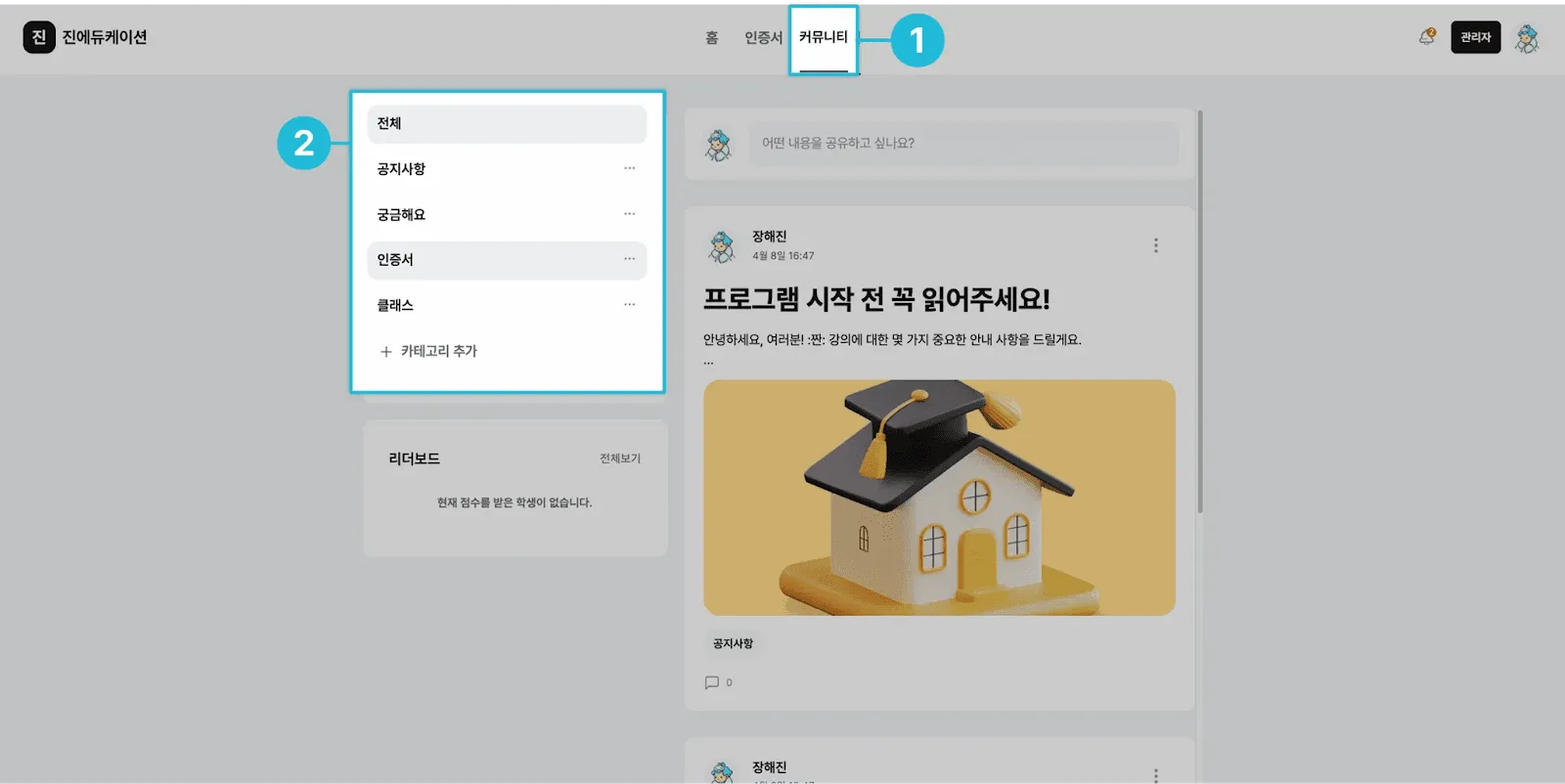
For platform operation, see Bulletin Board Management.
Start Now
Building a digital badge management platform is easier than you think. Follow the five steps above and you can be up and running in about a day.
The most important thing is to issue your first badge. Don’t try to build a perfect system - start small. Issuing a real badge, observing recipients’ reactions, and reviewing the data is the most effective way to improve iteratively.
If you’d like to start building your digital badge platform with Kolleges, give it a try today. Your education programs will evolve into more professional and trusted certification systems.
Frequently asked questions
Want to turn learning outcomes into verifiable assets?
From issuing to verifying and amplifying, see it for yourself with Kolleges.
Request a Kolleges demoRelated posts
Top 5 Digital Badge Providers in Korea | 2026 Comparison Guide
We compare five major digital badge platforms in Korea along two axes - their 1EdTech certification records and what happens after issuance - and lay out selection criteria by institutional situation.

Building a Digital Badge System: How Should It Differ from a Simple Certificate of Completion?
A digital badge system succeeds only when universities define measurable competencies and earning criteria before choosing any platform, transforming badges from mere certificates into verifiable credential structures.

Digital Badge Adoption Checklist | 7 Things to Verify Before Signing in 2026
From the version and roles of 1EdTech certification to the ISO 27001 edition number, personal data processing consignment, the amended privacy law effective September 2026, and public procurement requirements - seven things to verify before signing a digital badge solution contract.