
Build and Manage an Education-Institution Homepage with Ease
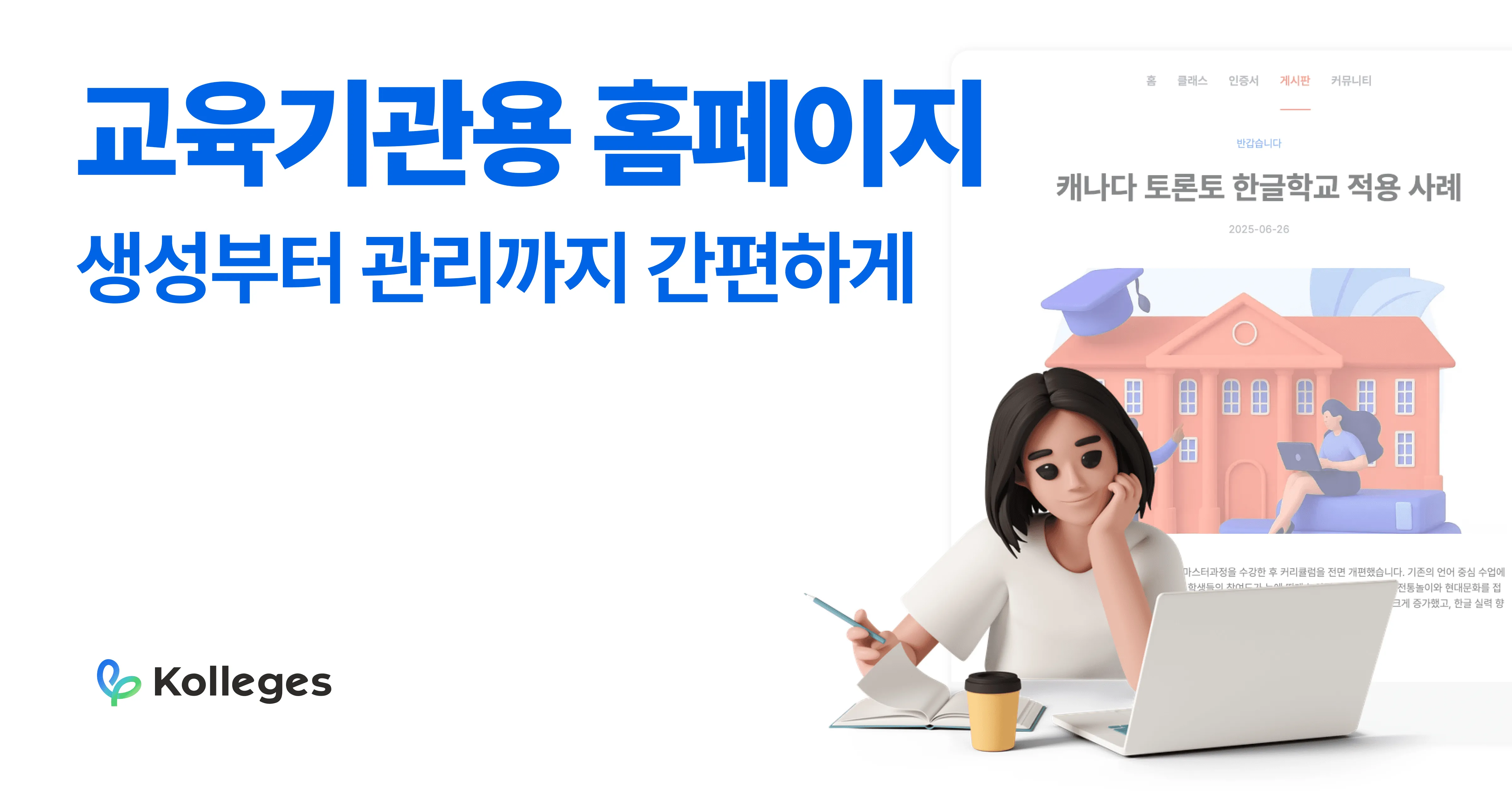
Kolleges lets education institutions build and operate a full homepage - page design, menus, community boards, leaderboards - without any development work.
From running programs to managing community engagement, the way education institutions operate is becoming increasingly digital.
Kolleges provides functionality that lets anyone build and manage a homepage easily, without development knowledge. In this article, we walk through how to set up and operate your homepage directly using Kolleges.
1. Editing the homepage design
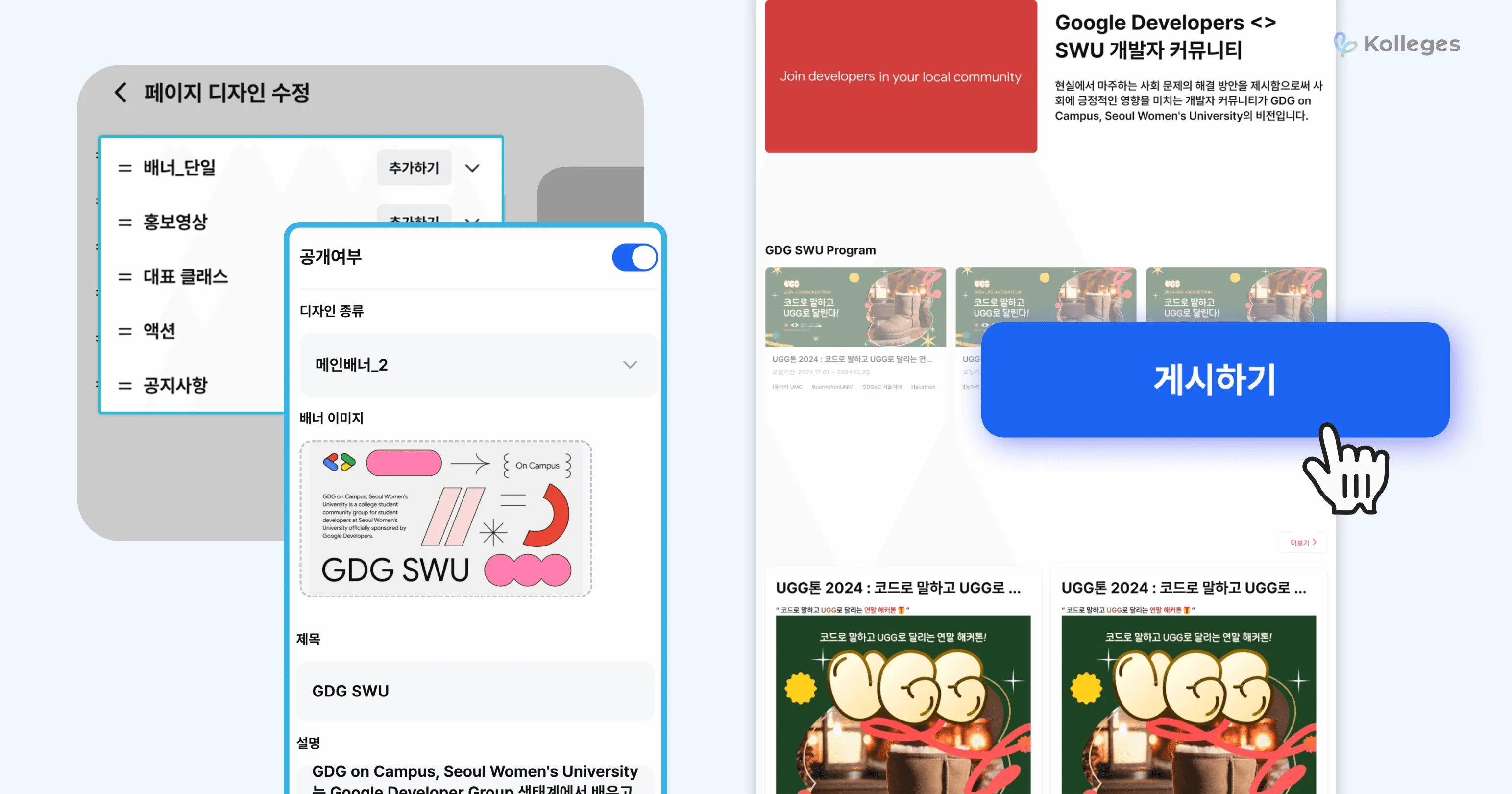
Build it yourself to match your education brand, and publish in one click. Kolleges provides various page components as building blocks, letting you design your homepage with an intuitive editor.
| Component | Description |
|---|---|
| Banner | the main image at the top of the homepage |
| Promo video | a lively introduction via YouTube link |
| Featured classes | which courses and programs to display on the main page |
| Action buttons | buttons aligned with your goals - registration, inquiries, enrollment, and more |
| Announcements | essential information to share with learners |
The visibility of each component can be easily toggled with a switch, and changes can be pushed live to your homepage by clicking “Publish.”
2. Configuring homepage menus and pages
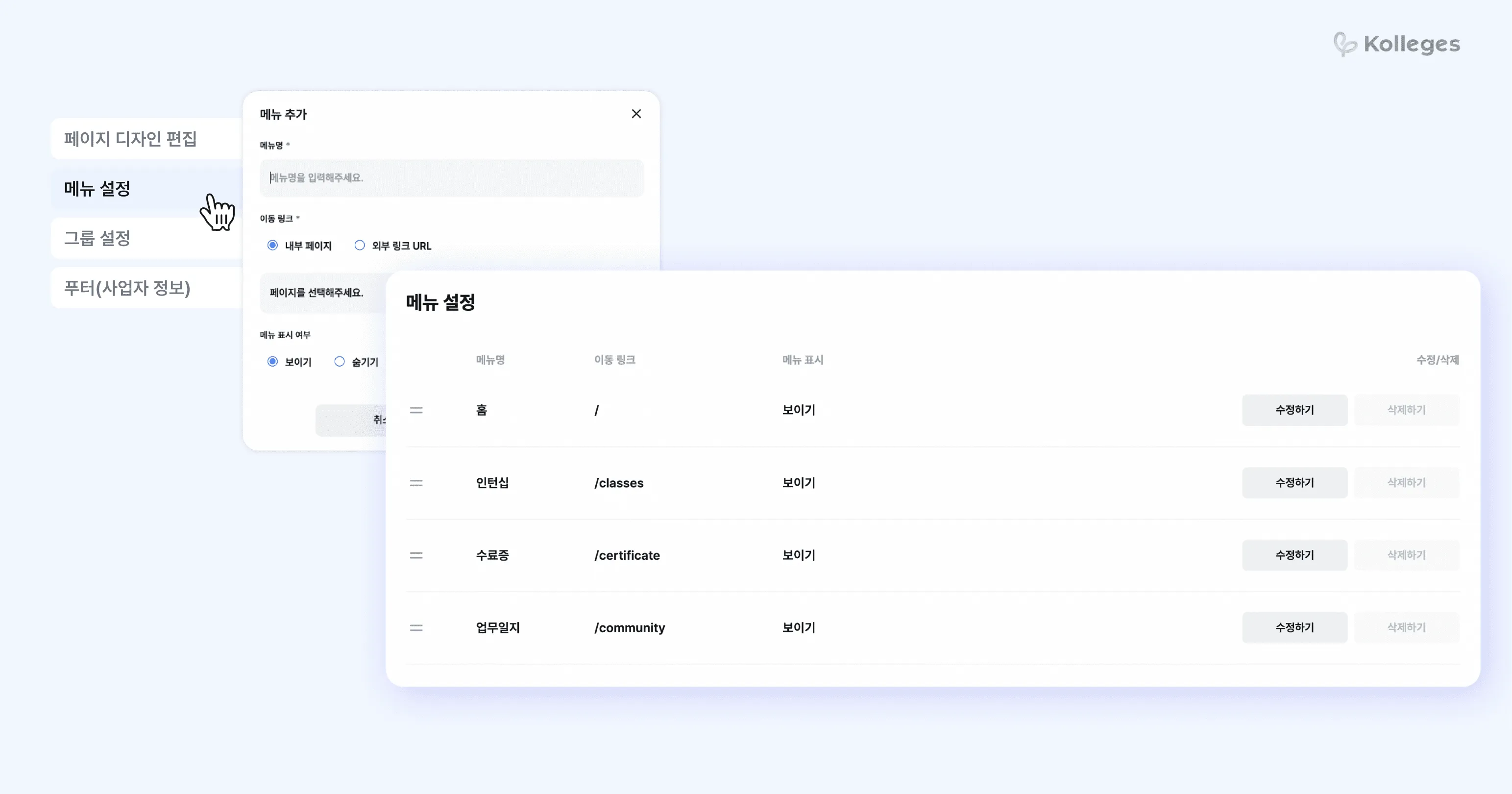
Structure pages and menus freely to match the information you want to present. You can create new pages and connect them to whatever menus you need.
➕ Creating new pages and linking menus
- 1 Go to [Edit Page Design] and select [+ Add New Page]
- 2 After creating a page, set name, link, and visibility in menu settings
- 3 Menu items can be ordered freely
This makes it possible to organically organize pages for different purposes - program introduction, institution overview, registration guidance, and more.
3. Community management
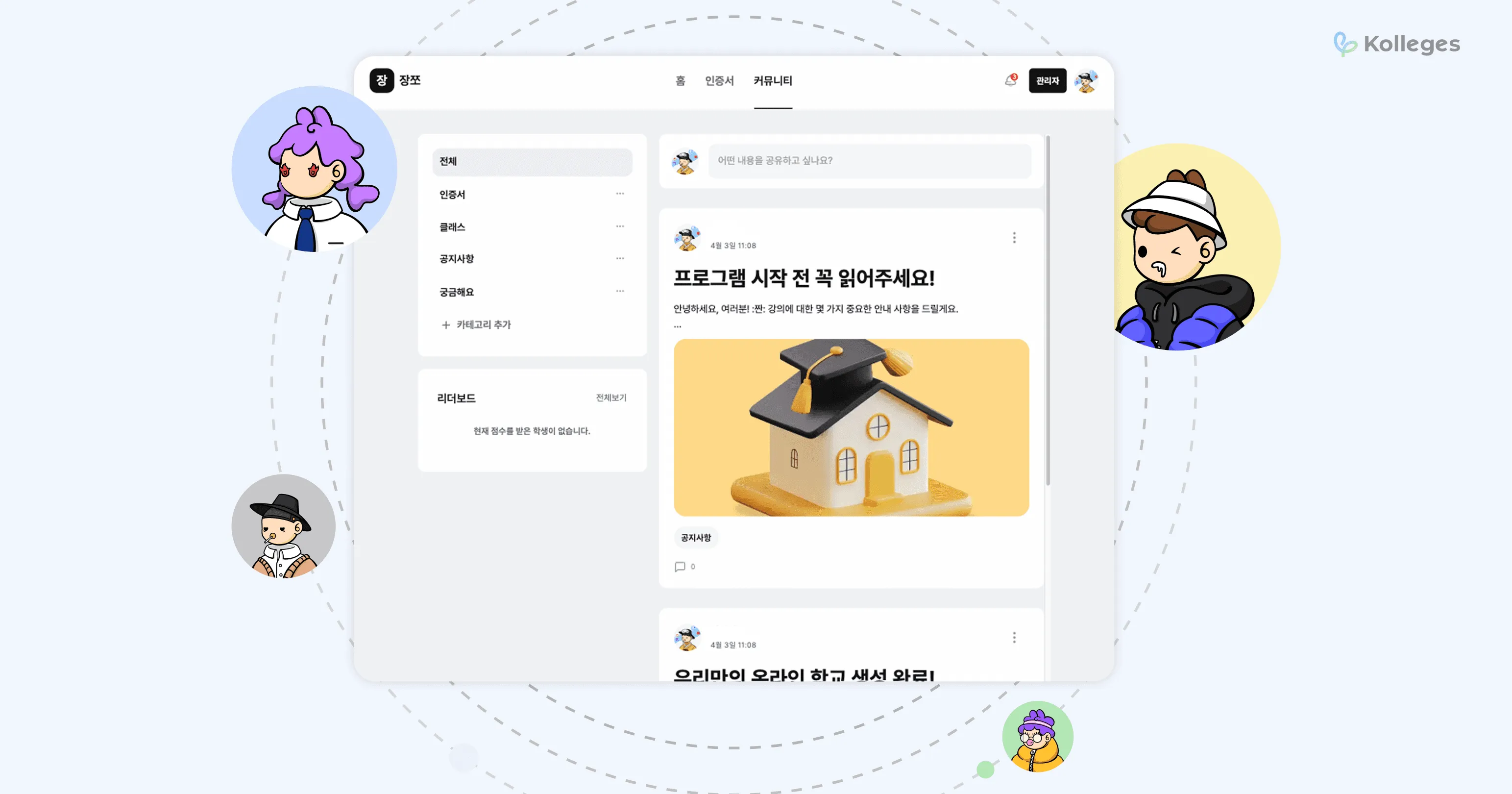
A community space for ongoing conversation with learners. Kolleges includes a community feature inside the homepage, providing a space for educators and learners to communicate.
| Menu | Description |
|---|---|
| Announcements | share essential information and events |
| Q&A | an open board for questions and discussion |
| Certificates | a place to view issued certificates |
| Classes | a board listing the courses on offer |
🔧 Key community operations
-
Add, edit, hide, and delete categories
-
Pin posts to the top, edit, delete, copy links
-
Attach images and files, edit fonts
-
Comments and replies (write, edit, delete)
-
Flexible operations based on admin permissions
With the community feature, you can drive learner participation, collect feedback, and run an effective learning community.
4. Board management
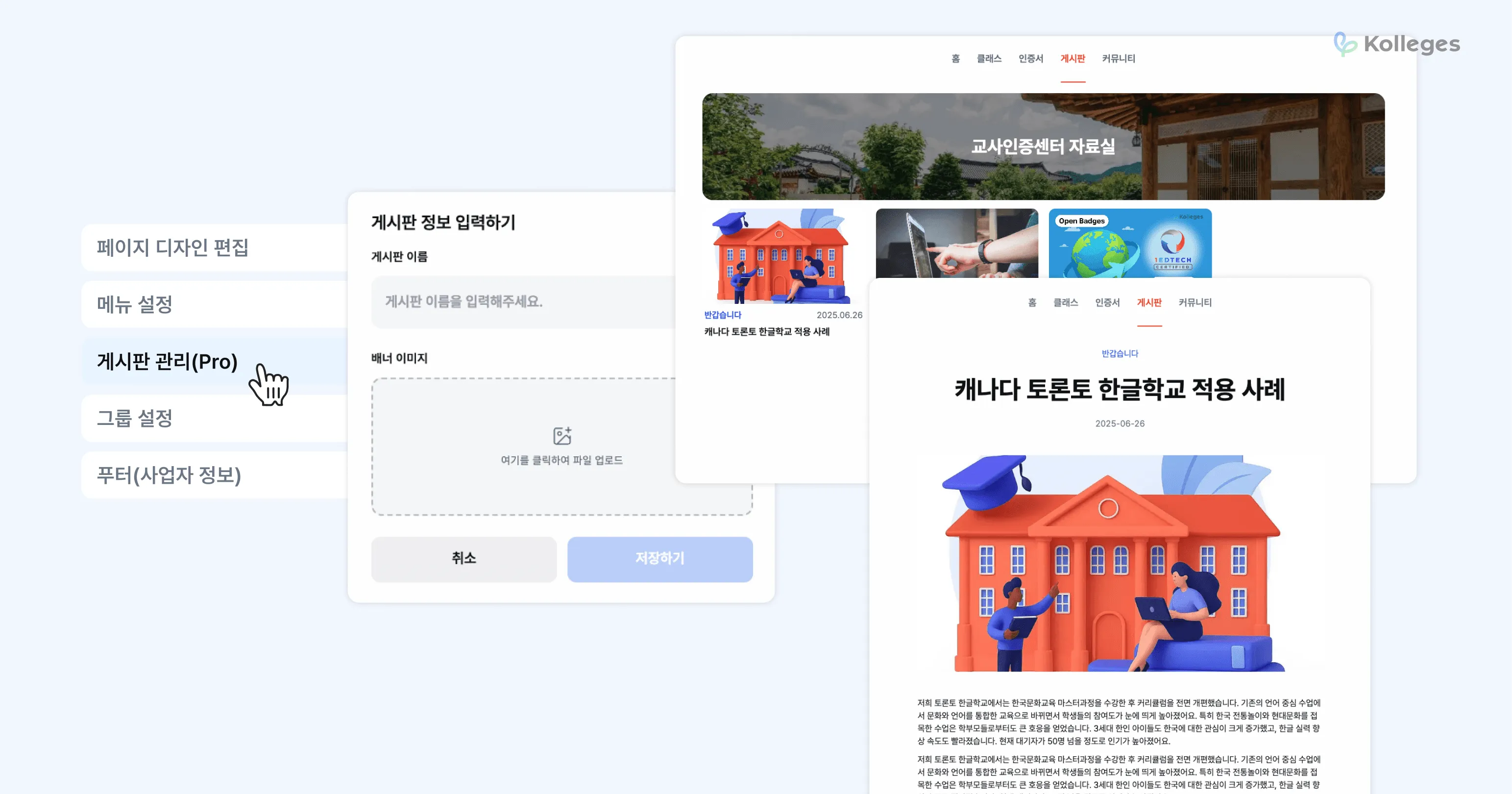
An advanced feature for organizing and operating diverse information and materials. Starting with the Kolleges Pro plan, you can create additional dedicated boards for different training purposes.
🗂 How to create a board
- 1 Go to [Board Management] and select [+ Add New Board]
- 2 Save after setting the board name and banner image
In addition to the community, boards can be used for resource libraries, case studies, course reviews, and more.
5. Leaderboard
A ranking generated from activity data. Kolleges automatically generates a leaderboard based on the mission completion rate of learners in a class.
Rankings are displayed based on indicators such as assignment completion and course completion rates, and serve as a metric that drives self-directed learning and visualizes program performance.
Efficient education operations start with homepage management.
With Kolleges, you can easily set up your homepage, maintain continuous communication with learners, and deliver content effectively.
From homepage design and community operations to classes, document boards, and leaderboards, run everything in one place with Kolleges.
Build your homepage now, directly in Kolleges.
Frequently asked questions
Want to turn learning outcomes into verifiable assets?
From issuing to verifying and amplifying, see it for yourself with Kolleges.
Request a Kolleges demoRelated posts
Boosting University Competitiveness Through Education Administration Automation
Automating university administration - from graduation checks to event attendance - saves over 90% of staff time and enables real-time digital credential issuance.

Four Differentiators of the Kolleges Digital Badge: A Tailored Platform
Kolleges combines a branded homepage builder, end-to-end completion automation, built-in LMS, and a marketing analytics dashboard into one platform - going well beyond badge issuance alone.
A New Answer for Education Institution Branding: How to Survive in the Adult Job Training Market
Digital badges transform learner achievements into organic brand proof, helping adult job training institutions build trust and stand out in a crowded, fast-growing market.