
Pseudonymization Release Guide: Restoring Original Custom Attribute Values
 Robin Yoon · Customer Success Team Published
This guide explains the procedure where, once the recipient approves a pseudonymization release request, the requester can view the original information for 24 hours, after which it is automatically restored to the pseudonymized state.
This guide explains the procedure for releasing attribute values that were pseudonymized during the digital badge issuance process and viewing the original information again. We also provide access permission criteria and safe data management procedures.
Introduction to Pseudonymization Release
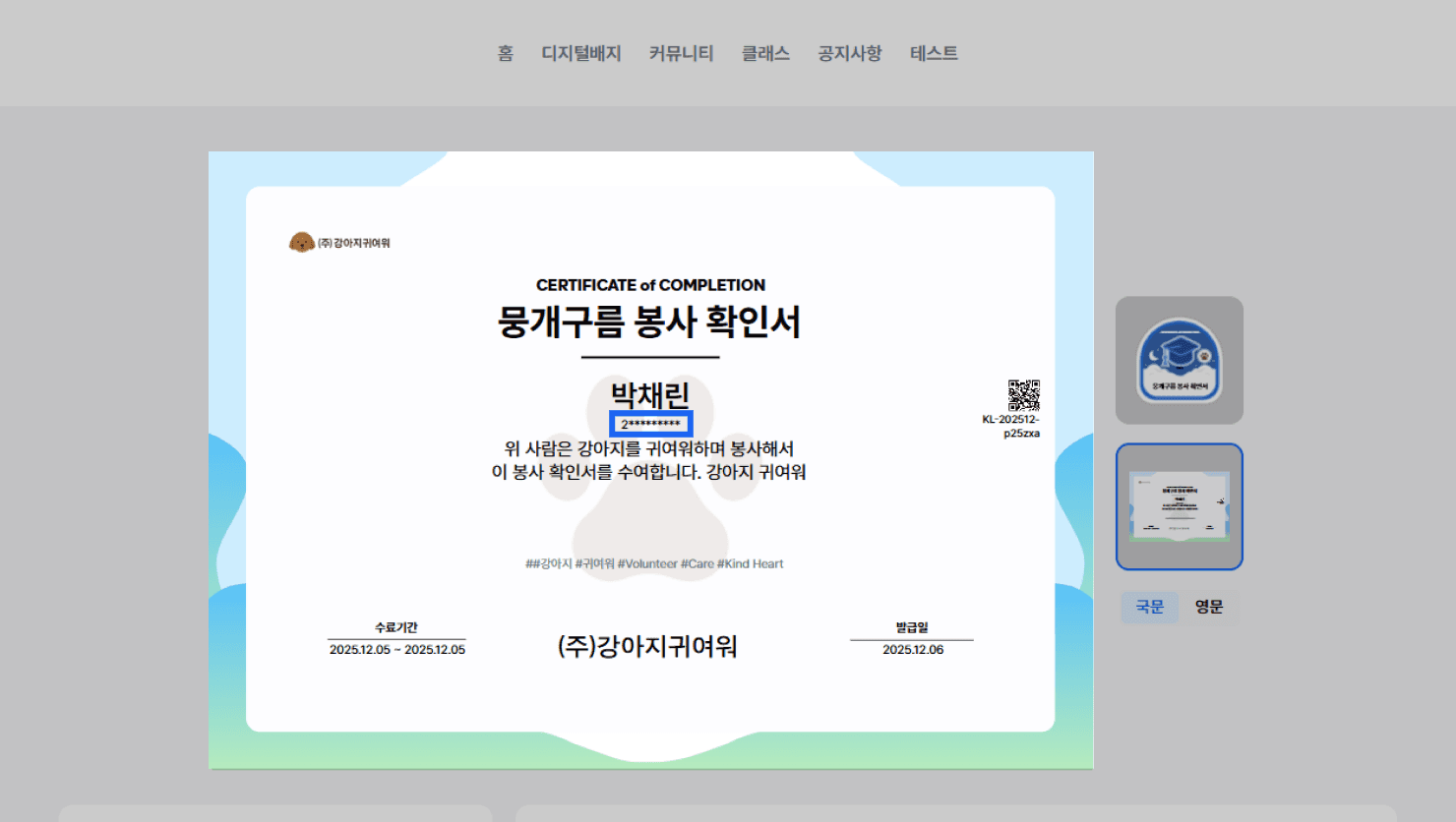
- “Pseudonymization” is a feature that masks and displays personal information such as the name and date of birth included in a certificate.
- When a third party requests to view the pseudonymized information included in a certificate, the recipient can approve or reject that release request in the certificate view request notification message.
- Example) A case where a recruiter requests a pseudonymization release to check the recipient’s certificate information.
Pseudonymization View Request
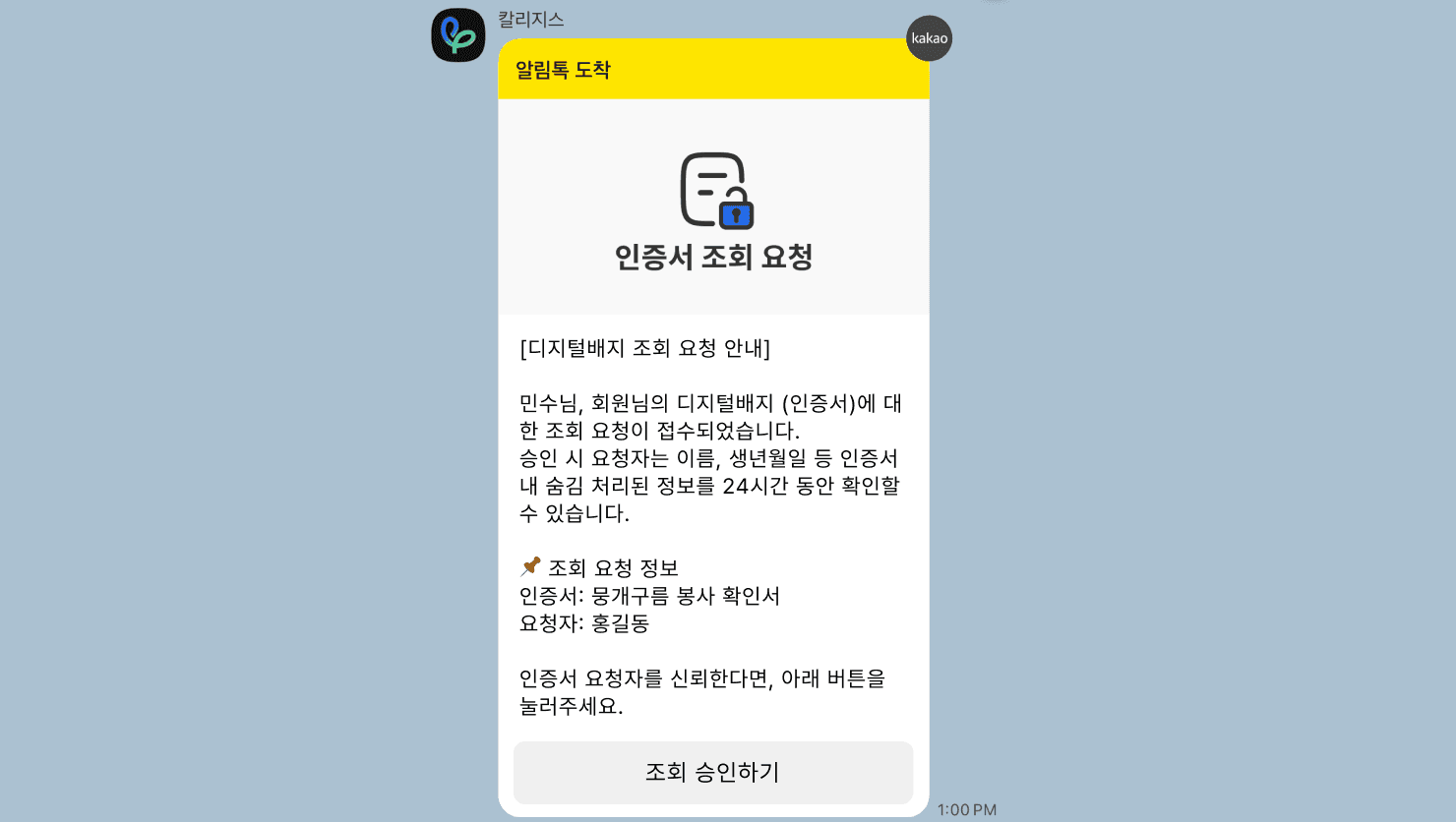
- When a third party requests to view pseudonymized information, a view request notification message is sent to the recipient.
- In the notification message, you can choose {Approve} or {Reject} for the pseudonymization release.
Approving a Pseudonymization View Request
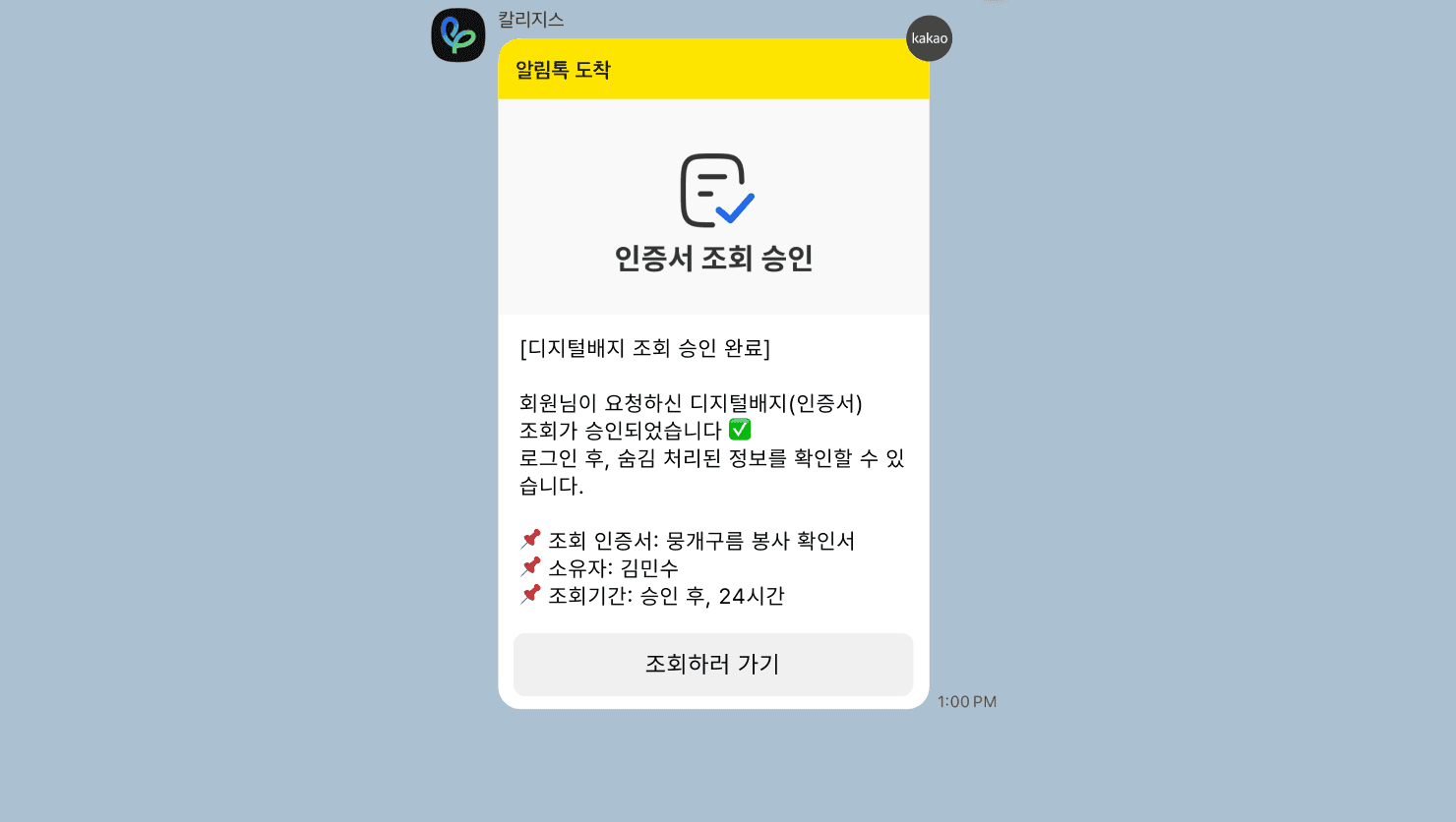
- If the recipient approves the request, the requester can view the pseudonymization-released information for 24 hours from the time of approval.
- Once 24 hours have passed, it is automatically restored to the original pseudonymized state without any separate notification.
Rejecting a Pseudonymization View Request
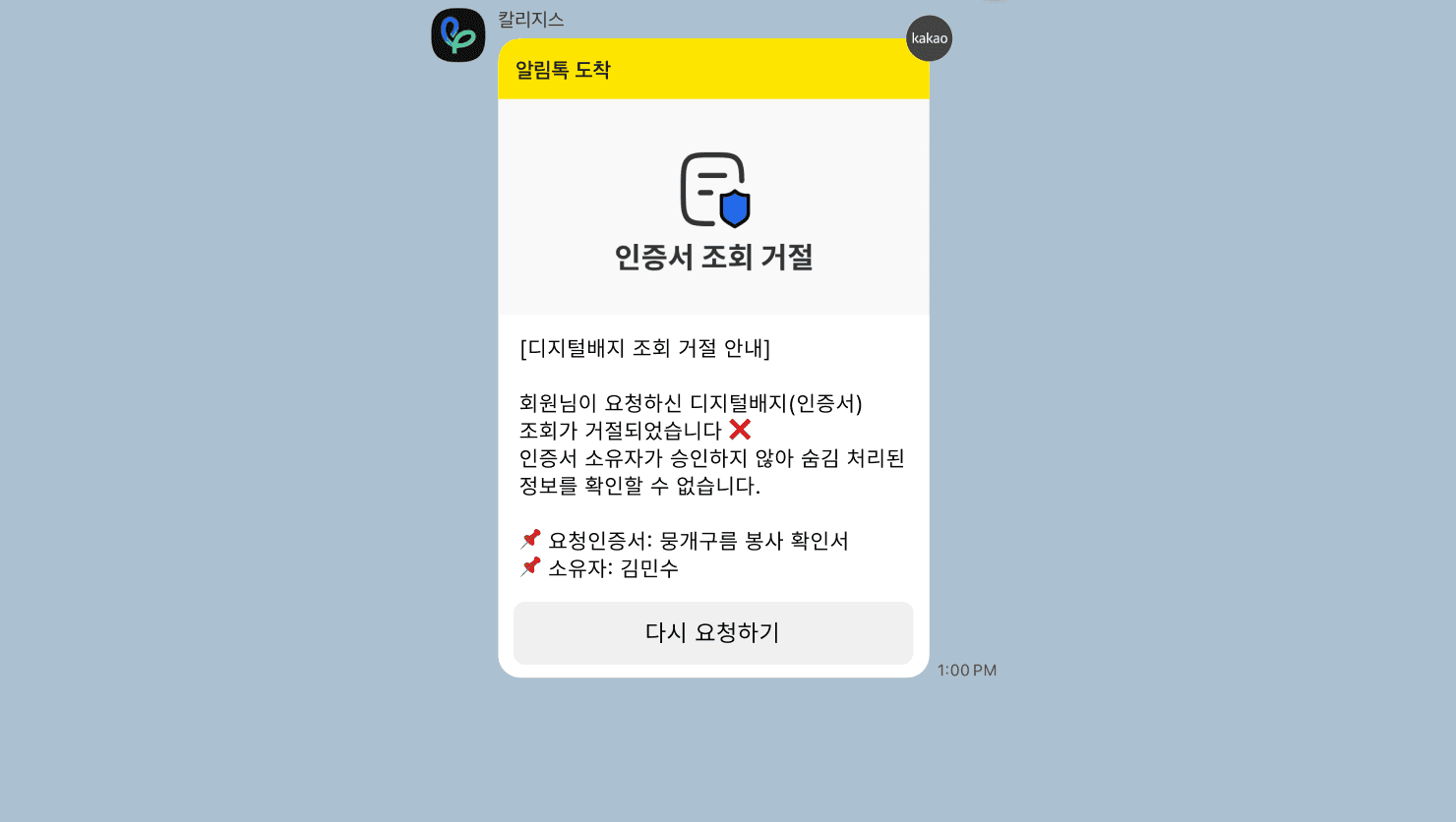
- If the recipient rejects the pseudonymization release request, the requester can only view the pseudonymized information.
- In this case, the masking is not released, and the requester can later request again for the same certificate.
* If phone verification has not been completed, the notification is sent by email.
Frequently asked questions
Want to turn learning outcomes into verifiable assets?
From issuing to verifying and amplifying, see it for yourself with Kolleges.
Request a Kolleges demo Related posts
Custom Attribute Value Pseudonymization Guide: Safely Protecting Personal Information on Badges
When you set the pseudonymization switch to ON for a digital badge custom attribute, sensitive information such as name and date of birth is masked on the public verification page, safely protecting personal information.
Verifying the Authenticity of a Digital Badge
On a digital badge's detail page, instantly check its validity with a single click of the Verify credential button, and look up the original data using the blockchain ID to verify whether there has been any tampering or forgery.

Issuer Settings
[Primary] issuer information (institution name, symbol, official seal, logo) and the LinkedIn code must be registered first before you can officially issue badges and certificates.