
Automated Certificate Issuance in Just a Few Clicks
 Robin Yoon · Customer Success Team Published
Kolleges automates certificate issuance end-to-end - upload an Excel participant list, set optional completion conditions, and the system generates and delivers every certificate in bulk with no manual editing.
Why is issuing certificates such a hassle?
Every training program or educational event ends with one inevitable task - certificate issuance.
You have to verify the participant list, fill in each name and unique ID, generate the document, convert it to PDF, and email each one individually.
When you’re dealing with dozens or even hundreds of participants, this becomes days of grinding, repetitive work.
That’s why so many program managers say, “I wish we just didn’t have to issue certificates.”
A program that handles repetitive issuance for you
Kolleges’ automated certificate issuance program solves this pain point in one shot.
Upload your participant list file (Excel or similar) and the program reads the data automatically.
It then injects each name and certificate number into the document, generating certificates for every participant in a single batch.
No more writing them one by one. Even hundreds of certificates are done in a few clicks.
You also don’t need to verify completion conditions one by one - set the conditions, and certificates are issued automatically.
If you’d like to see how it works, check the [Bulk Auto-Issuance Guide] and the [Condition-Based Auto-Issuance Guide].
How does it work?
Automated certificate issuance in Kolleges follows these steps.
- 1 Create the certificate - First, choose a certificate design or create a new one. Add your institution's logo, signature, issuance date, and other elements to complete the base template.
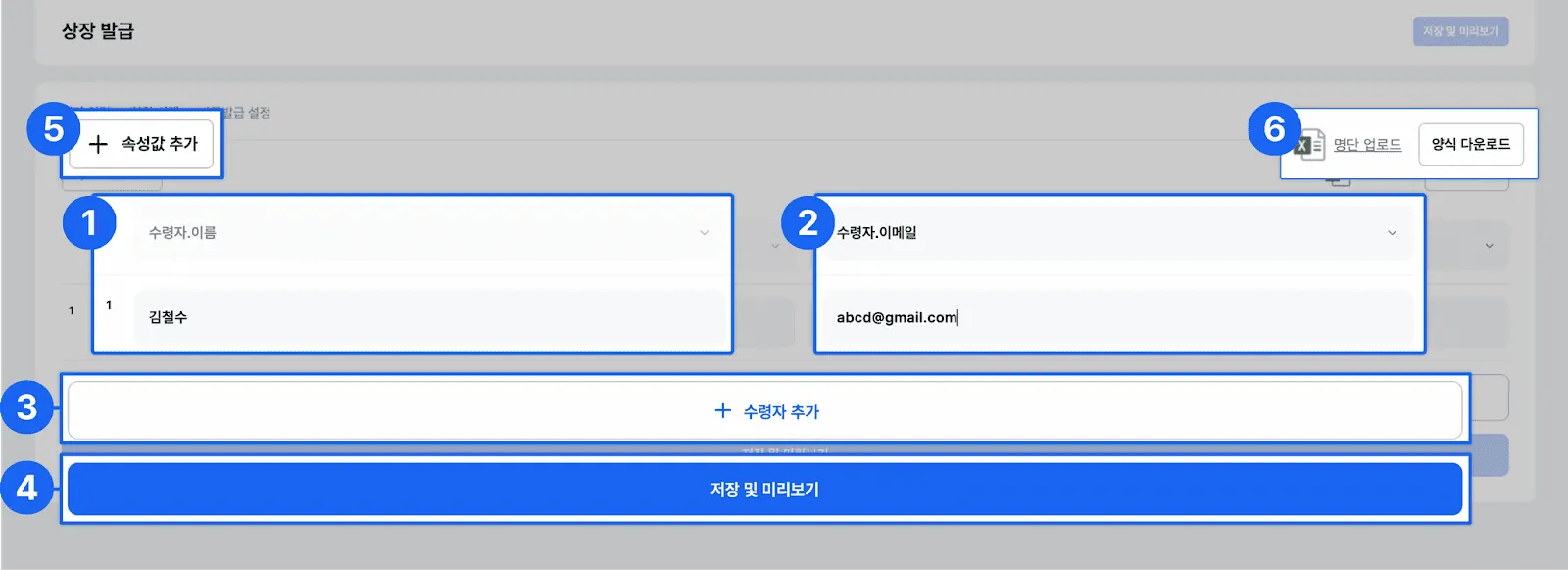
- 2 Enter recipient information - Enter the name and email or phone number of each certificate recipient.
- 3 Add attributes - Beyond name and contact info, you can freely add any additional information as attributes (e.g., course name, score, issuance date).
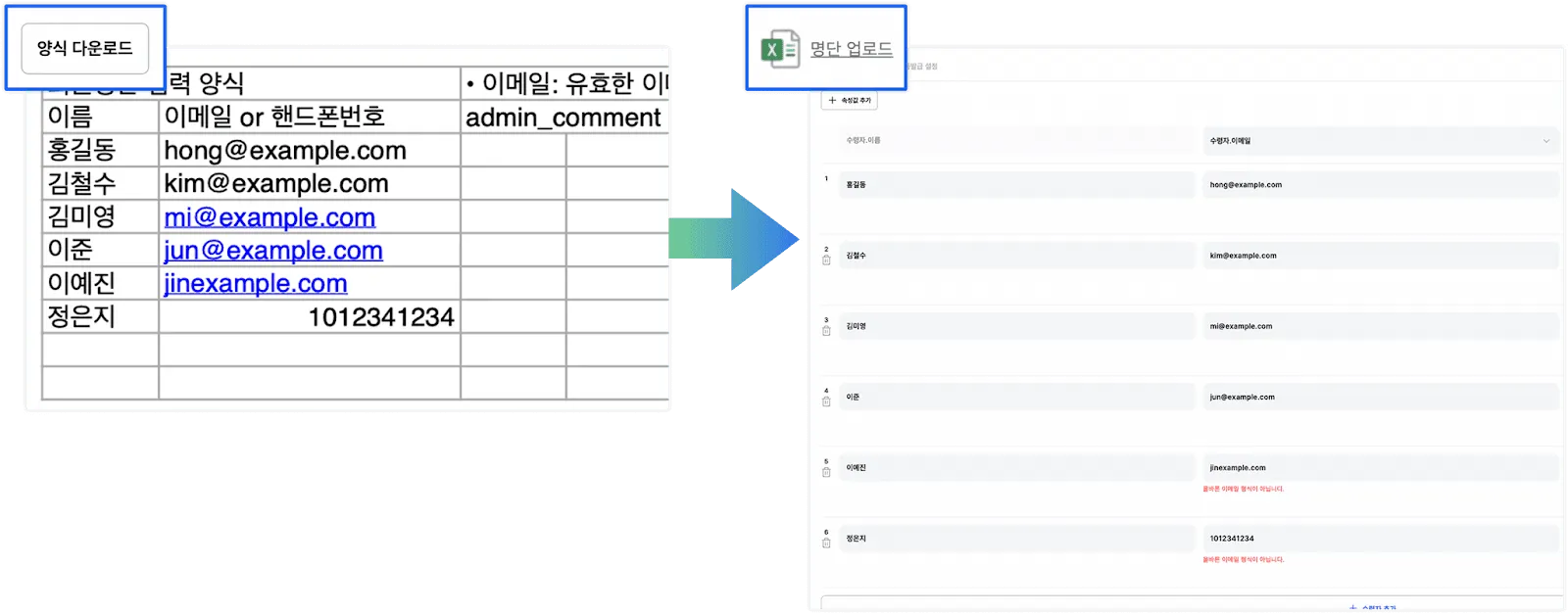
- 4 Upload the participant list - If you need to issue certificates to many people at once, download the Excel template, fill it in, and upload it. Dozens or hundreds of recipients can be added in one go.
- 5 Save and preview - Once you save the entered information, you can move to a preview screen before actual issuance to verify the certificate design and content.
- 6 Add completion conditions (optional) - Beyond simply displaying a name, you can include the achievements gained through the training in the digital badge. You can also set conditions like attendance rate, assignment submission, or score so the certificate is issued automatically once they are met. With this, the certificate becomes more than paper - it expands into the learner's e-portfolio.
- 7 Issuance and delivery - Once everything is configured, Kolleges automatically generates the certificates and sends them to recipients via email or KakaoTalk notifications.
Bulk auto-issuance
Certificate issuance usually needs to happen for dozens, sometimes hundreds, of people simultaneously.
With Kolleges, bulk auto-issuance is possible just by uploading a participant list organized in an Excel template.
-
Upload the list: Upload the Excel file with the participant list, and hundreds of names are added automatically in one go.
-
Save and preview: Verify the certificate content on a preview screen before actual issuance to reduce errors.
Condition-based auto-issuance
Kolleges goes beyond certificates that simply carry a name - it also supports achievement-based certificate issuance.
In other words, you can set certificates to be issued automatically only when conditions like attendance rate, assignment submission, or exam score are met.
-
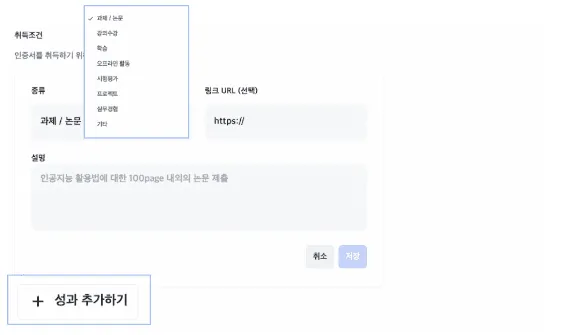
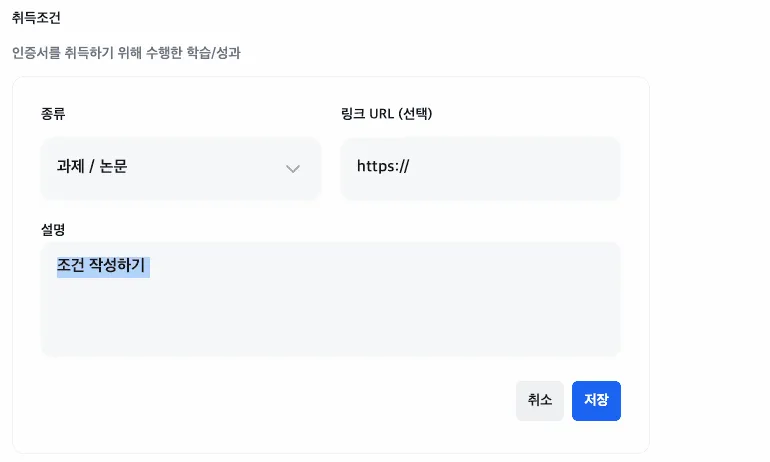
Add achievements: Register various learning achievements as conditions - assignments/papers, projects, attendance, and more.
-
Define conditions: Enter detailed condition descriptions and attach supporting URLs if needed.
-
Auto-issuance: When conditions are met, the system automatically verifies and issues the certificate.
Customer story: Our Local School Cohort 1
Our Local School Cohort 1 - the first entrepreneurship education program held in the Gyeongbuk region - produced 55 graduates and delivered meaningful results.
The operations team faced a major challenge: providing diverse educational content while managing the completion process and issuing certificates.
After adopting Kolleges, the work of issuing and managing certificates became simple.
Customized certificates were generated and issued automatically just by uploading the participant list, and bulk email delivery and re-issuance management could be handled with one click.
As a result, the operations team was freed from repetitive administrative work and could focus on educational quality and participant support, while participants could preserve their educational experience as something more valuable through branded certificates.
For more, see Our Local School Cohort 1 Customer Story.
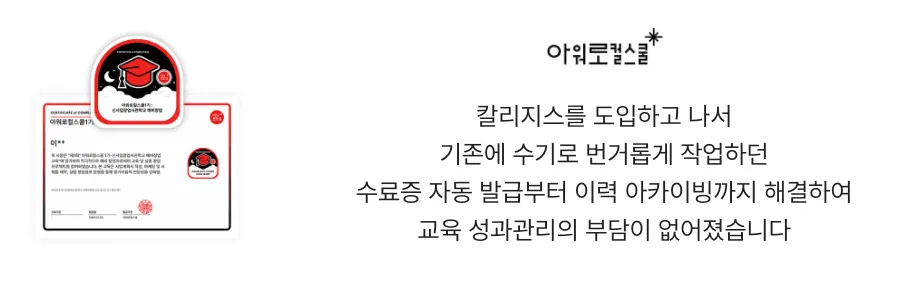
The moment you’re freed from manual work
In the past, certificate issuance meant being chained to a computer for days.
Now, once you upload the list, Kolleges handles the entire process automatically.
Program managers no longer spend time editing documents and can focus on what really matters in running the program.
At first, you might think, “How big a deal is certificate issuance, really?”
But in reality, the biggest fatigue program managers face always starts with small, repetitive administrative tasks. Kolleges lifts this burden and helps you focus on raising the value of your education. In the moment a small change makes a big difference, focus on the essence of education with Kolleges instead of repetitive work.
Focus on the essence of education with Kolleges instead of repetitive work.
Frequently asked questions
Want to turn learning outcomes into verifiable assets?
From issuing to verifying and amplifying, see it for yourself with Kolleges.
Request a Kolleges demo Related posts

Boosting University Competitiveness Through Education Administration Automation
Automating university administration - from graduation checks to event attendance - saves over 90% of staff time and enables real-time digital credential issuance.
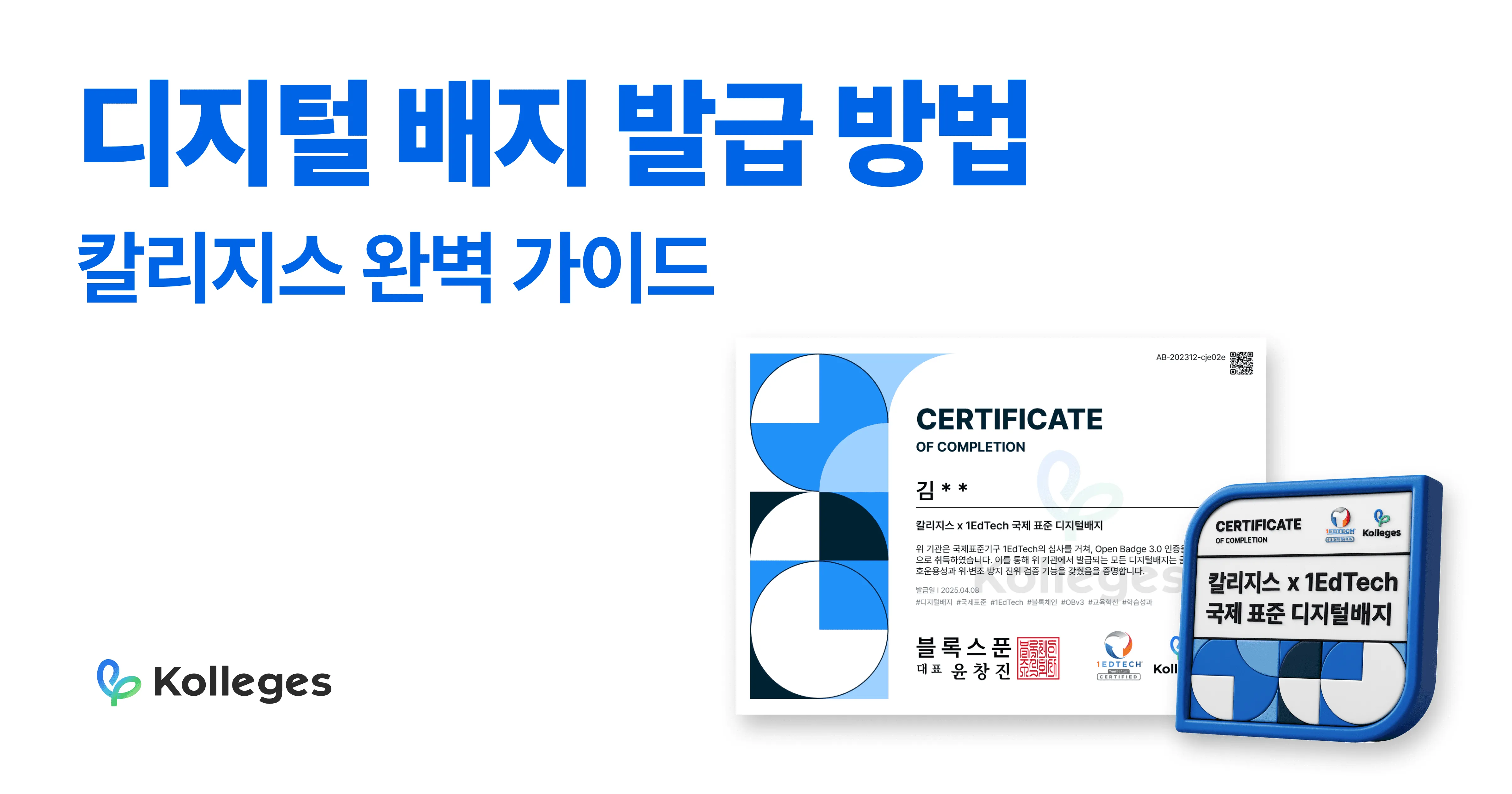
The Complete Guide to Issuing Digital Badges | Build the Kolleges 10-Minute System
Anyone can set up a professional digital badge issuance system in under 10 minutes using Kolleges - no technical knowledge or complex setup required.

From Certificate Issuance to Connection: The Next Step in Outcome Management
Standards like Open Badges, CLR, and LER transform one-off certificate issuance into a connected, reportable flow of learning and employment outcomes.