
Get 200% Out of Digital Badges: 5 Tips for Creating Badges

A step-by-step walkthrough of issuing digital badges with Kolleges - from institution setup and design to bulk issuance, scheduled delivery, and class-linked automation.
“In the digital age, the certificates we issue must become smarter too.”
Kolleges helps you prove learning history and outcomes through digital badges and raise your brand value.
In this article, we walk through the issuance process and operational guidelines required to adopt digital badges.
1. [Preparation] How to Issue a Digital Badge
Issuing a digital badge requires the following three steps.
① Configure issuing institution → ② Design certificate/badge → ③ Create and issue the digital badge
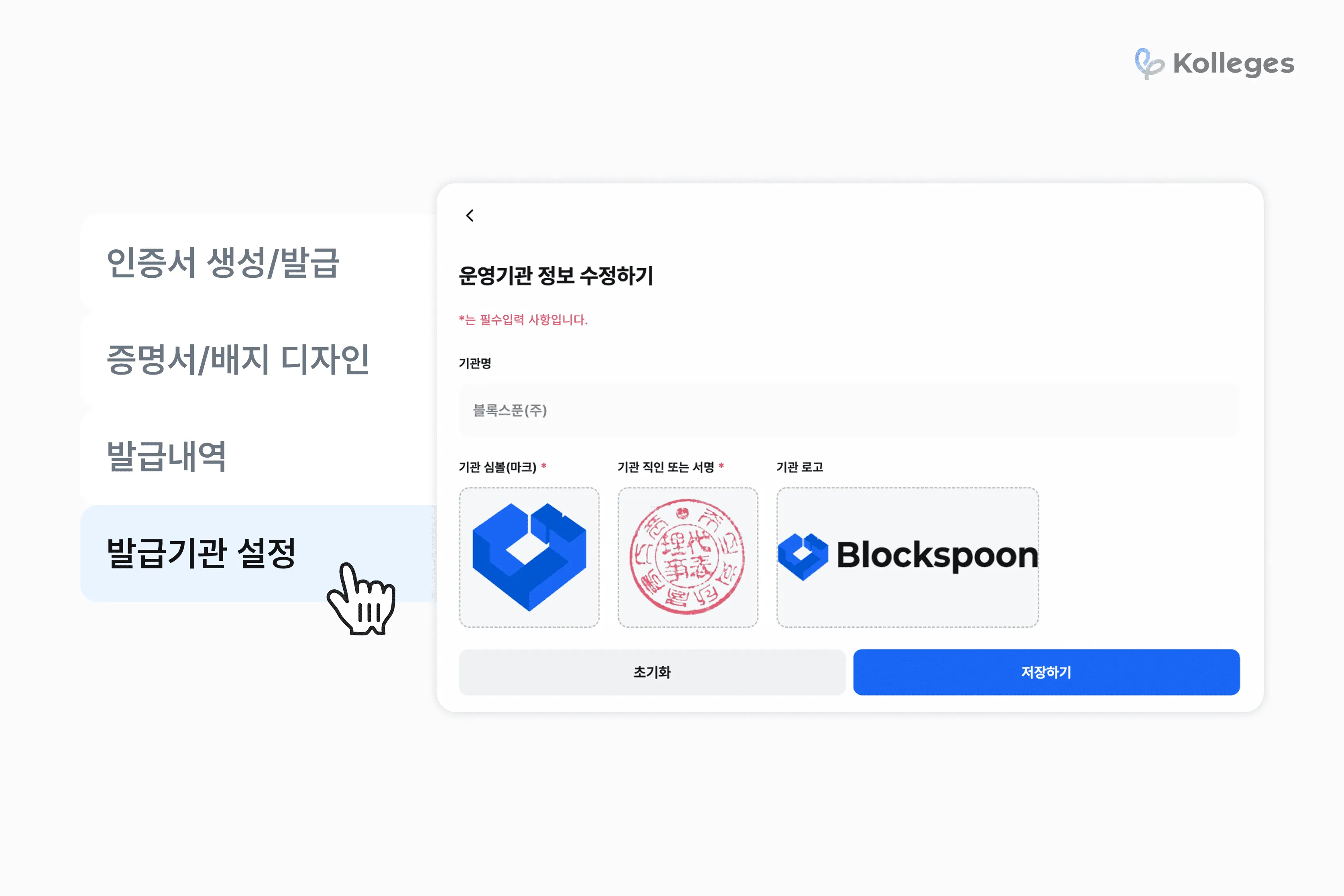
🏢 Configuring the Issuing Institution
First, you need to register the issuing institution information - the entity that will issue the digital badge.
Once you upload the institution’s symbol (mark), seal or signature image, and official logo, they will be automatically reflected in the certificate and badge design.
👉 See issuing institution configuration in detail
2. [Certificate & Badge Design] Visualizing Brand and Value
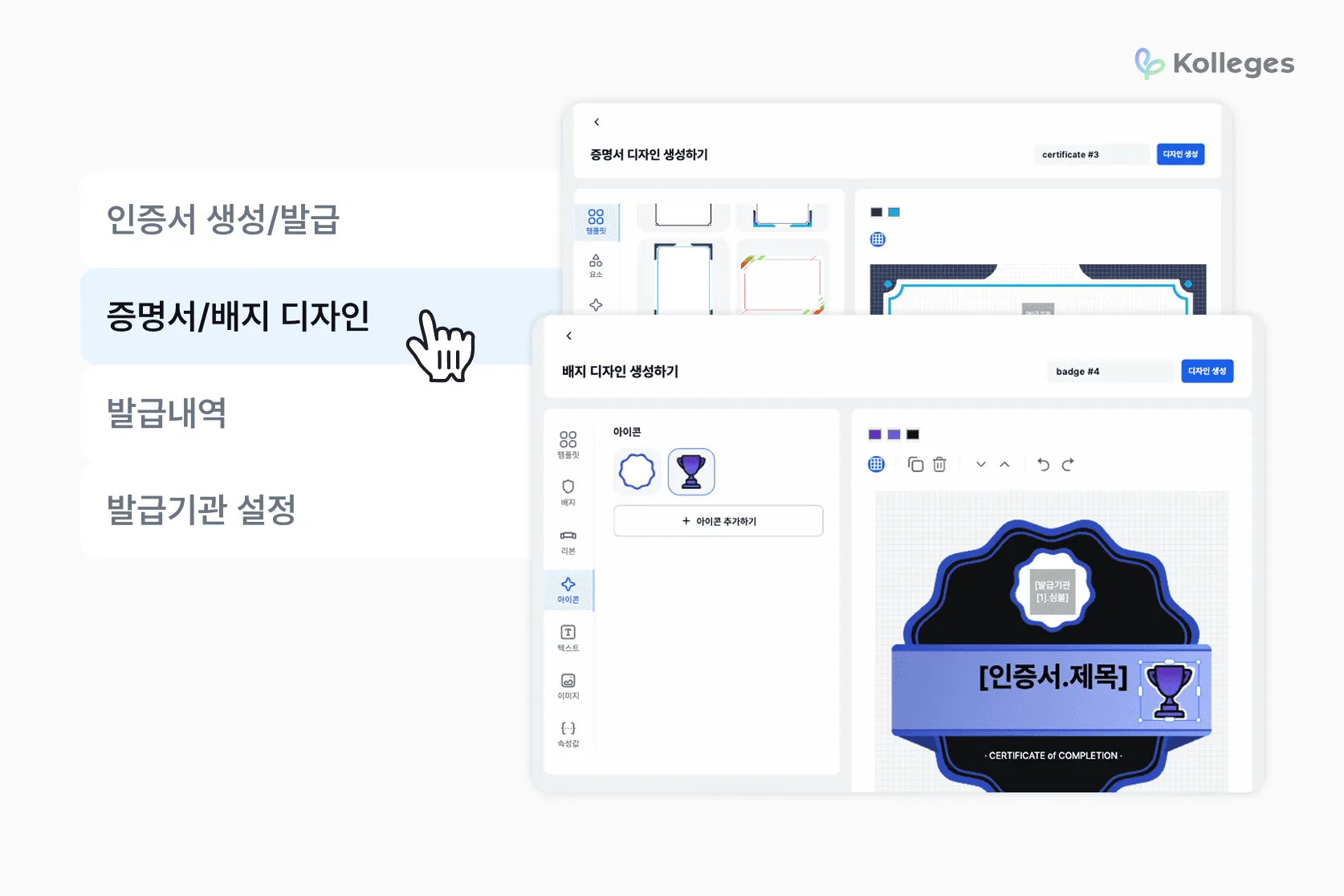
You can freely customize certificates and badges with a variety of design elements such as templates, icons, and ribbons.
🖼 Certificate Design
-
Template Selection: Apply a base design quickly while still allowing easy customization
-
Text Editing: Freely enter and edit core information such as recipient name, program name, and completion details
-
Attribute Settings: Freely add or remove variable data such as role, completion period, and course name
-
Visual Elements: Freely position QR codes, institution symbols, official seals, and logos to strengthen authenticity verification and branding
🏅 Badge Design
-
Template Selection: Easily set the base badge style using a variety of templates and color chips
-
Element Composition: Add visual elements such as ribbons, icons, and text and freely adjust their position and size
-
Design Convenience: Use duplicate, delete, undo, and redo features to work efficiently
👉 See certificate design settings in detail
👉 See badge design settings in detail
3. [Creating a Digital Badge] Connecting Course and Outcome
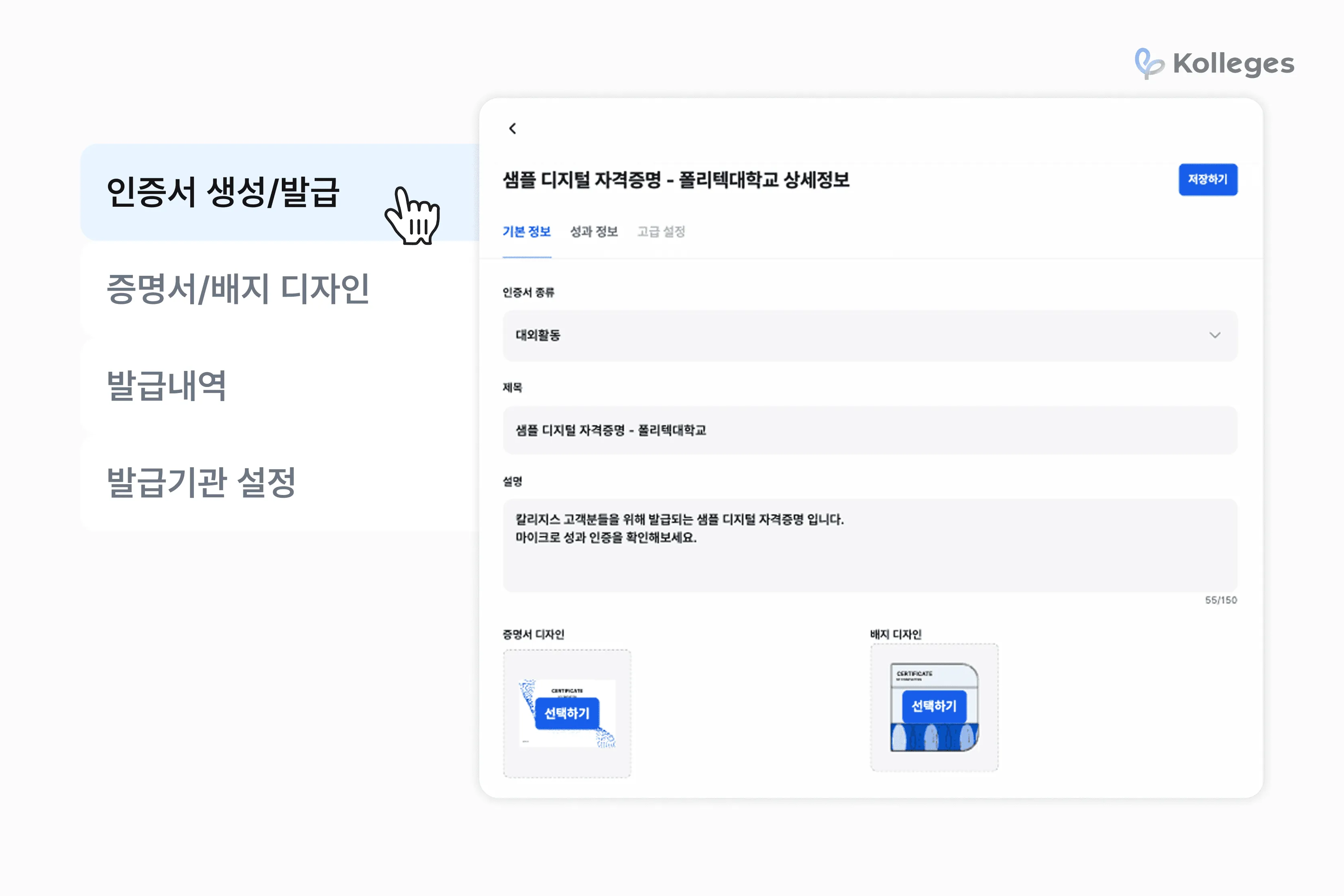
Once the certificate and badge designs are complete, it’s time to create the digital badge.
📌 Digital Badge Input Fields
-
Digital badge title and description
-
Issuing institution and design selection
-
Program information: course name, duration, related URL, etc.
-
Skill tags: learning competency keywords such as “AI,” “UX,” and “data analysis”
-
Earning criteria: detailed conditions such as assignments and completion criteria
Through these fields, each digital badge can carry the context and value of the educational program.
👉 See digital badge creation in detail
4. [Issuing the Digital Badge] Individual or Bulk Issuance
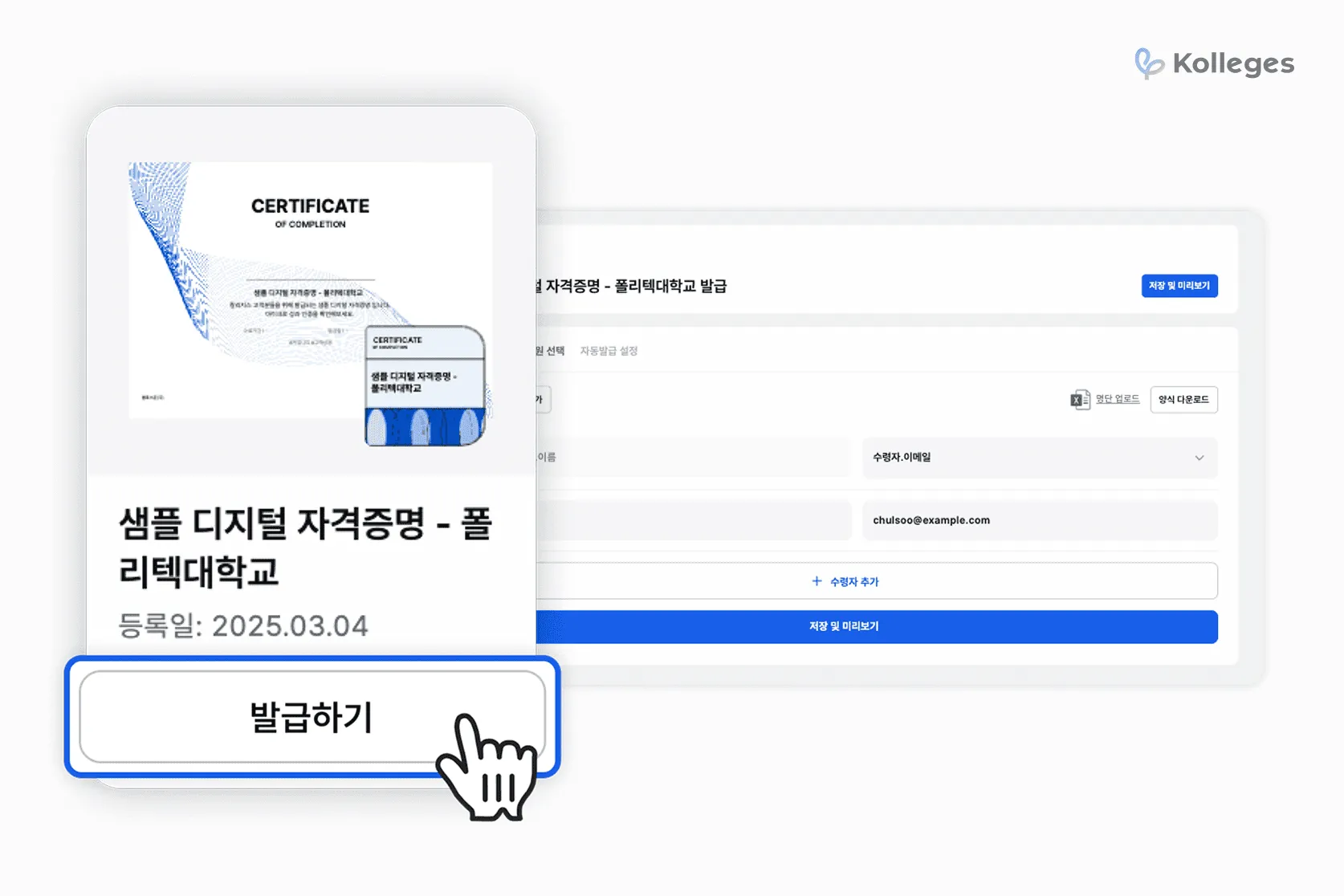
This is the step for issuing the digital badge you created above.
👨🎓 Issuance Methods
-
Individual Recipient Entry: name, contact (email/SMS), etc.
-
Bulk Upload: mass issuance via a recipient list file
-
Custom Settings: per-recipient comments and certification levels can be added
-
Scheduled Issuance: automatic issuance on a specific date and time
Issued digital badges are automatically delivered to recipients by email or KakaoTalk, and administrators can review the issuance history in the system.
👉 See digital badge issuance in detail
5. [Add-Ons] English-Language Digital Badges and Class-Linked Automatic Issuance - Global Scalability Plus Operational Efficiency
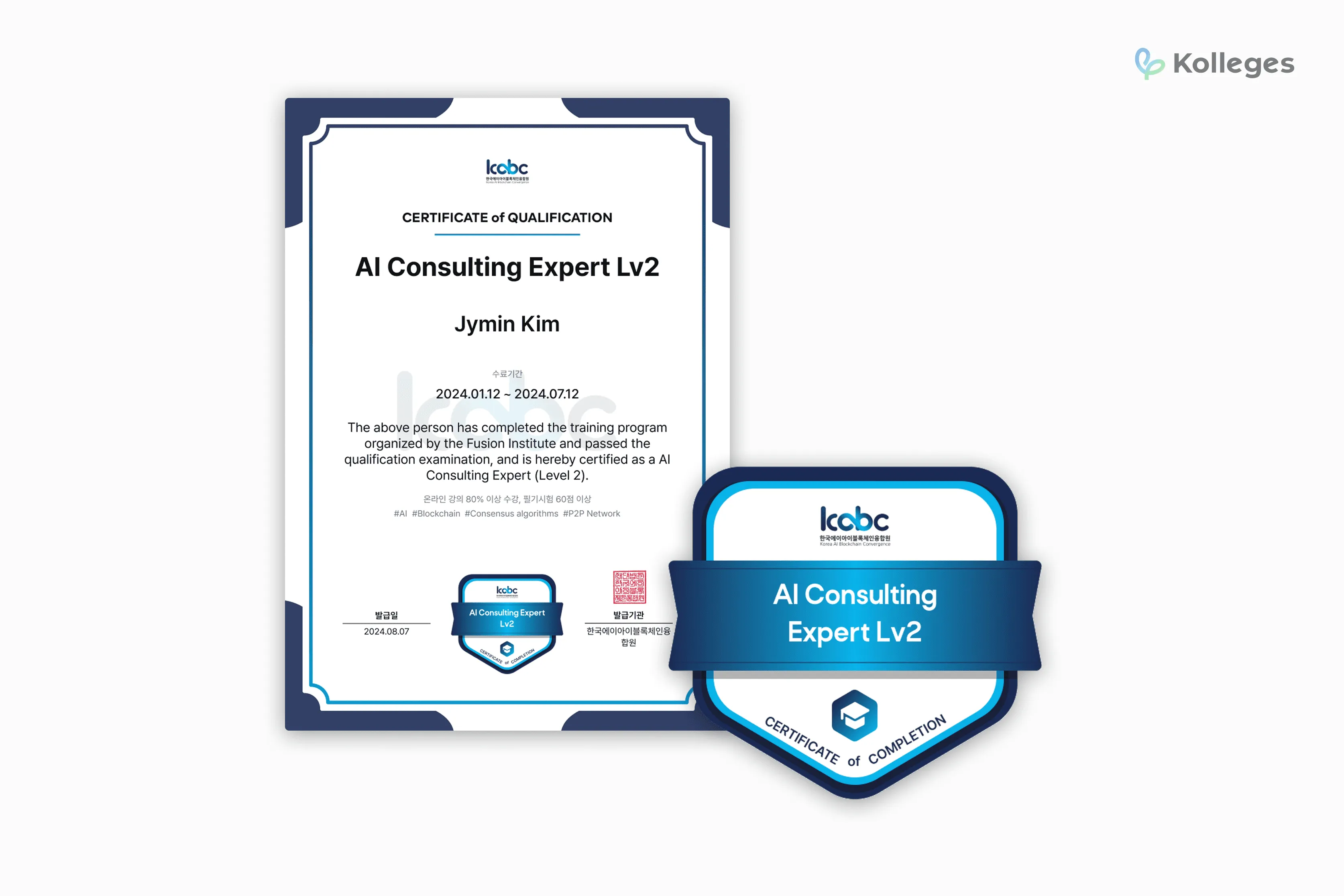
The Kolleges Pro plan supports English-language digital badge issuance.
You can register Korean and English content separately and set the language per text element, so they can be used directly with overseas universities or global enterprises.
And when you combine this with the automatic issuance feature linked to Kolleges Classes, you can double your operational efficiency.
🏫 Automated Digital Badge Issuance via Class Integration
You can use Kolleges’ Class feature to set learning missions for each class.
When a learner completes the class’s mission, a digital badge is automatically issued.
-
Assignment submission
-
Offline attendance check
-
Live lecture participation confirmation
-
VOD lecture viewing status, etc.
Following the administrator’s configured criteria above, automatic issuance runs without any manual work,
reducing administrative burden for operators and allowing learners to receive their digital badge instantly.
🔌 Integration With External Systems
If you need automatic digital badge issuance for programs running on other systems too,
Kolleges can implement automatic issuance via API integration.
You can apply Kolleges’ digital badge automatic issuance logic across a variety of environments.
⭐ Let Digital Badges Speak to Value.
A digital badge is more than a completion certificate -
it is becoming a brand asset that carries the philosophy of your education and the credibility of your operations.
Kolleges simplifies this process,
helping educational institutions enter the digital certification ecosystem more easily.
Build your digital badge system with Kolleges, starting today.
Frequently asked questions
Want to turn learning outcomes into verifiable assets?
From issuing to verifying and amplifying, see it for yourself with Kolleges.
Request a Kolleges demoRelated posts

How to Use Digital Badges in Resumes and Portfolios
Digital badges embedded in resumes, portfolios, and LinkedIn profiles function as verifiable, metadata-rich credentials that strengthen your case in skills-based hiring.

Automating Institutional Outcome Sharing with Digital Badges and LinkedIn Integration
Connecting your LinkedIn company page to Kolleges makes every learner badge share automatic, zero-cost exposure for your institution's brand.

University Branding and Learner Credentialing in One: Five Ways Universities Use Digital Badges
Universities are deploying digital badges across curricula, extracurriculars, industry partnerships, staff development, and admissions branding to prove educational value and raise institutional profile.